



A championship banner inventory is a structured record of every title banner a school or athletic program owns—capturing the sport, the specific championship won, the year it was earned, the current physical condition of the banner, and exactly where it hangs or is stored. Most athletic departments have dozens of these banners spread across gymnasiums, field houses, hallways, storage rooms, and display cases, with no single list that accounts for all of them. Before an athletic department can build a digital wall of fame, launch a searchable championship archive, or even answer the question “how many titles has our program won?"—someone has to conduct that inventory first. This guide walks through why the inventory matters, what fields to capture, how to conduct the physical audit, and how to turn a completed spreadsheet into the source of truth that powers every recognition project that follows.
Without a championship banner inventory, programs repeatedly rebuild the same historical record from scratch—asking coaches who have long since left, calling alumni who may or may not remember the year correctly, and still ending up with gaps. The inventory closes that loop permanently.

Championship walls that accurately reflect every title a program has won depend on a complete inventory conducted before any display is designed or installed
Why Athletic Departments Need a Banner Inventory Before Anything Else
The temptation when beginning a recognition project—a digital wall of fame, a new trophy case, a renovated hallway display—is to start with design. What will it look like? What size screens? What layout? Those are legitimate questions, but they are the wrong first questions. The right first question is: what do we actually have?
A championship banner inventory answers that question definitively. It also surfaces problems that every program has but few have documented:
Gaps in the historical record. A banner from 1987 is in storage but nobody can identify the sport. A conference title from 2009 appears in a coach’s old scrapbook but no banner exists. The 1994 state championship banner hangs in the gym but the year embroidered on it says 1995. A banner inventory forces each of these discrepancies into the open where they can be resolved.
Duplication and redundancy. Programs with multiple facilities often hang duplicate versions of the same title—one in the main gym, one in a field house, one in an athletic hallway. An inventory identifies these duplicates so the department can decide intentionally where each banner belongs rather than discovering three copies of the same title during a renovation.
Condition issues before they become display embarrassments. A banner installed in a public digital display or donor reception area needs to be accurately dated and in presentable condition. Discovering during installation that your 2003 state title banner has water damage or faded lettering is far less costly to handle during the inventory phase than during a public opening.
Completeness for donor and alumni relations. Donors who contributed to championship-winning programs want to see those titles recognized. Alumni who competed on championship teams want their seasons visible. Neither group can advocate for recognition they cannot point to. A championship banner inventory is the administrative foundation for every donor stewardship and alumni engagement conversation that follows.
What Fields to Capture for Every Banner
A championship banner inventory is only as useful as it is complete. Capturing inconsistent fields across different sports or years creates a database that cannot be reliably searched, filtered, or displayed. These are the fields worth standardizing from the first entry.
Required Fields
Sport The full sport name as the department officially uses it—not abbreviations, not common shorthand. “Women’s Basketball” is more useful than “WBB” when the record will be read by people outside the athletic department ten years from now.
Championship Title The specific title won: conference championship, regional title, state championship, national championship, invitational title. Be exact. “Conference champion” and “conference tournament champion” are different achievements at most institutions, and conflating them creates inaccurate records.
Year (Season) Use the academic year format (2024-25) rather than a single calendar year wherever the championship spans two calendar years. A winter sport that wins a title in March 2025 is ambiguous if labeled “2025”—it clearly belongs to the 2024-25 season.
Division or Classification For high school programs: the NFHS class or division in which the title was won. For college programs: the NCAA or NAIA division. This context matters enormously when comparing historical records, because a program that competed in a different classification a decade ago earned its titles under different competitive conditions.
Level (Varsity / Junior Varsity / Middle School) Many schools hang JV and middle school championship banners alongside varsity titles. The inventory should track these separately but consistently so they can be displayed or filtered appropriately.
Banner Physical Description Dimensions, material (vinyl, fabric, nylon), primary colors, and lettering style. This is administrative data, not display data—but it becomes essential when replacement banners are ordered or when banners are being digitized for a display system.
Current Location Building, room or hallway, and specific mounting point. “Main gym, north wall, upper row, third from left” is infinitely more useful than “gymnasium” when a staff member needs to locate a specific banner two years after the inventory was conducted.
Physical Condition A simple four-point scale covers most cases: Excellent (no visible wear), Good (minor fading or edge wear), Fair (significant fading, tears, or missing elements), Poor (damaged beyond reasonable display use). Note specific damage in a separate comments field.
Photograph Reference A filename or folder path pointing to a photo taken of the banner during the inventory. Every banner should be photographed. Photos are the fastest way to resolve disputes about what a banner actually says and provide the source material for digital archive entries.
Optional but Valuable Fields
Coaches and Key Roster Members Linking a championship banner to the head coach and any notable athletes from that season turns a title record into a story. This data can often be sourced from local news archives, yearbooks, or program records and is worth capturing during the inventory even if it takes additional research.
Corresponding Trophy or Physical Award Many championships come with trophies, plaques, or medals. Cross-referencing the banner inventory with a trophy inventory creates a unified recognition record. For preserving season-by-season athletic records, linking banners to related physical awards in a unified system is significantly more useful than two separate lists.
Source Verification Where was the information confirmed? A photocopy of the original program, a newspaper clip, an athletic department yearbook, a coaching staff roster? Noting the source prevents revisionist errors from entering the record and gives future staff a place to verify claims they find surprising.
Digital Archive Status A flag indicating whether this banner’s record has been migrated to a digital recognition platform. As migration proceeds, this field prevents duplication and identifies what still needs to be added.
Conducting the Physical Audit
The championship banner inventory is not a desk exercise. It requires a physical walk-through of every space where banners might exist, and most institutions are surprised by how many spaces that turns out to be.
Spaces to Include in the Walk-Through
- Main gymnasium (all walls, upper and lower)
- Secondary gymnasiums or practice facilities
- Field house and indoor track facility
- Natatorium
- Athletic hallways and corridors
- Trophy cases and display cases throughout the building
- Athletic department offices and conference rooms
- Head coaches’ offices
- Storage rooms, closet spaces, and equipment rooms
- Booster club spaces and alumni lounges
- Any off-site facilities the school uses or leases
The storage room is often where the most surprising discoveries happen. Banners that were taken down during facility renovations, replaced with newer versions, or simply removed when a coach left sometimes resurface here in perfectly preservable condition.
Recommended Audit Protocol
Conduct the physical audit as a two-person team. One person calls out what they observe; the other records it. This division prevents the most common audit errors: forgetting to photograph a banner, recording the wrong year because a numeral was misread, or skipping a banner that appeared to duplicate one already catalogued.
Work one space at a time and complete each space fully before moving to the next. Partial audits of multiple spaces simultaneously produce incomplete records for all of them.
Use a standardized paper form during the walk-through and transcribe to the master spreadsheet afterward, or use a mobile form tool that writes directly to a shared database. The priority is capturing accurate information in the field; clean formatting can happen in the transcription step.
Photograph every banner before moving on. Use a phone with location services enabled so photos are automatically geotagged—this simplifies the “current location” field considerably.
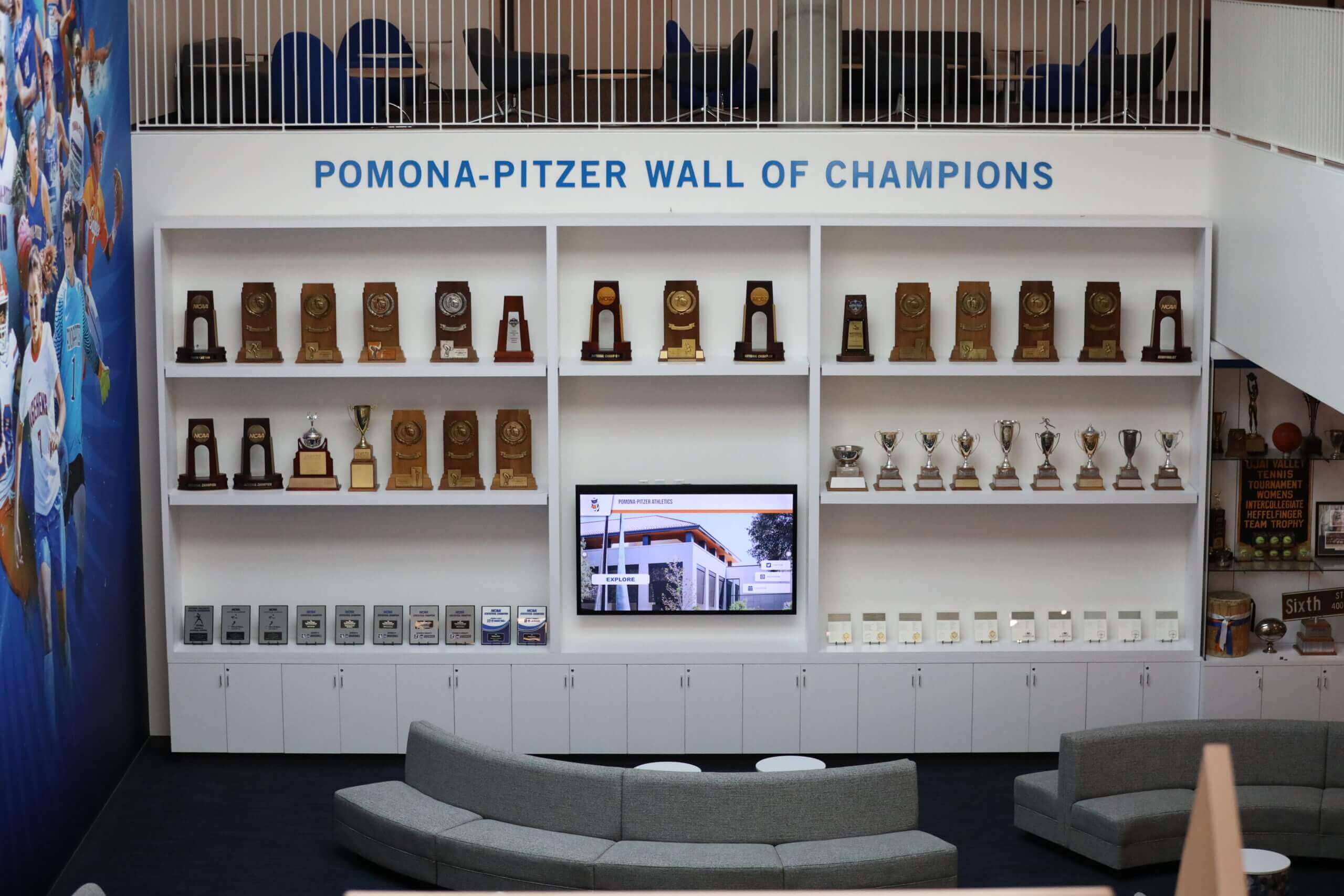
A physical audit covers every display space, trophy case, and storage area—not just the main gym—to build a complete championship inventory
What to Do With Unidentified Banners
Inevitably, the audit will surface banners that cannot be immediately identified—no date, no sport name, faded lettering, or a title that doesn’t match any known championship category. Create an “unresolved” section of the inventory rather than discarding these entries or guessing. Assign each unresolved banner a temporary ID number, photograph it, note its condition and location, and flag it for follow-up research.
Resolution steps for unidentified banners:
- Cross-reference with the school’s yearbook archive for the approximate decade
- Contact the athletic department’s longest-serving staff members
- Check local newspaper archives for championship coverage matching the apparent era
- Consult with the state athletic association’s historical records office
- Post the banner photo to alumni social networks and ask for identification help
For programs that take athletic hall of fame criteria and inductee selection seriously, unidentified banners often represent championships earned by athletes who deserve hall of fame consideration—resolving these records has direct impact on recognition equity.
Building the Master Inventory Spreadsheet
The physical audit produces raw field notes. The master inventory spreadsheet is where those notes become a usable database. Structure matters here in ways it doesn’t in the field notes phase.
Spreadsheet Architecture
Use one row per banner, not one row per sport or one row per year. A program that won three conference championships in boys’ basketball across different years should have three separate rows. This structure makes filtering and sorting work correctly and prevents the most common data error: combining multiple titles into a single record that cannot be accurately displayed or searched.
Column order recommendation: Sport | Level | Year (Season) | Championship Title | Division/Classification | Banner Condition | Current Location | Photo Reference | Source Verification | Coach | Notes | Digital Archive Status
Keep the spreadsheet in a shared cloud location (Google Sheets, SharePoint, or equivalent) rather than on a local drive. Championship banner inventories are institutional records; they should not live on a single staff member’s personal computer.
Sorting and Filtering for Different Use Cases
A well-structured inventory should be sortable in at least three ways:
- By sport — to answer questions like “how many titles has our swim program won?” or “what championships does our volleyball team have in their history?”
- By year — to create a chronological view of the program’s history or identify gaps between titles
- By location — to plan display installations, identify which spaces have the most championships represented, and coordinate renovation projects
A fourth sort that proves valuable during digital migration: by condition. Banners in poor condition need to be addressed before being featured in any physical renovation or digital display project.
Cross-Referencing With Other Recognition Records
The championship banner inventory becomes significantly more useful when cross-referenced with related records. Consider linking each banner record to:
- The corresponding season’s final standings or statistics record
- Photos from the championship event itself
- News coverage or press releases
- Award records for individual athletes from that season
For programs building a broader recognition infrastructure, understanding how student awards ideas connect to larger display strategies helps ensure the banner inventory feeds into—rather than exists separately from—the full recognition picture.
Resolving Historical Record Gaps
Most championship banner inventories, when completed, reveal at least a few years where banners may have existed but no physical banner can be found. These gaps do not mean the championship cannot be recognized—they mean the recognition cannot be based on a physical banner alone.
When a Banner Is Missing
If the championship can be verified through third-party sources (state association records, newspaper archives, yearbooks, coaching records), the title can be added to the inventory as a “documented, no banner present” entry. This is an honest record that allows the achievement to be recognized in a digital archive while accurately reflecting the physical reality.
Do not manufacture or commission a replacement banner without documenting the source verification clearly in the inventory. Replacement banners that cannot be traced to verified sources risk introducing inaccurate information into an otherwise reliable record.
When Records Conflict
The inventory will occasionally surface conflicting information: one source says the championship was won in 1991, another says 1992. The program handbook says second place in the conference, but a banner says conference champion. These conflicts are the inventory’s most important outputs—they represent historical inaccuracies that, left unresolved, will be displayed publicly and preserved digitally.
Establish a conflict resolution protocol before beginning the audit. Designate who has final authority to determine the accurate record when sources disagree. Document both the conflicting information and the resolution decision in the notes field. The state athletic association’s official records are generally the authoritative source for championship classifications and years.
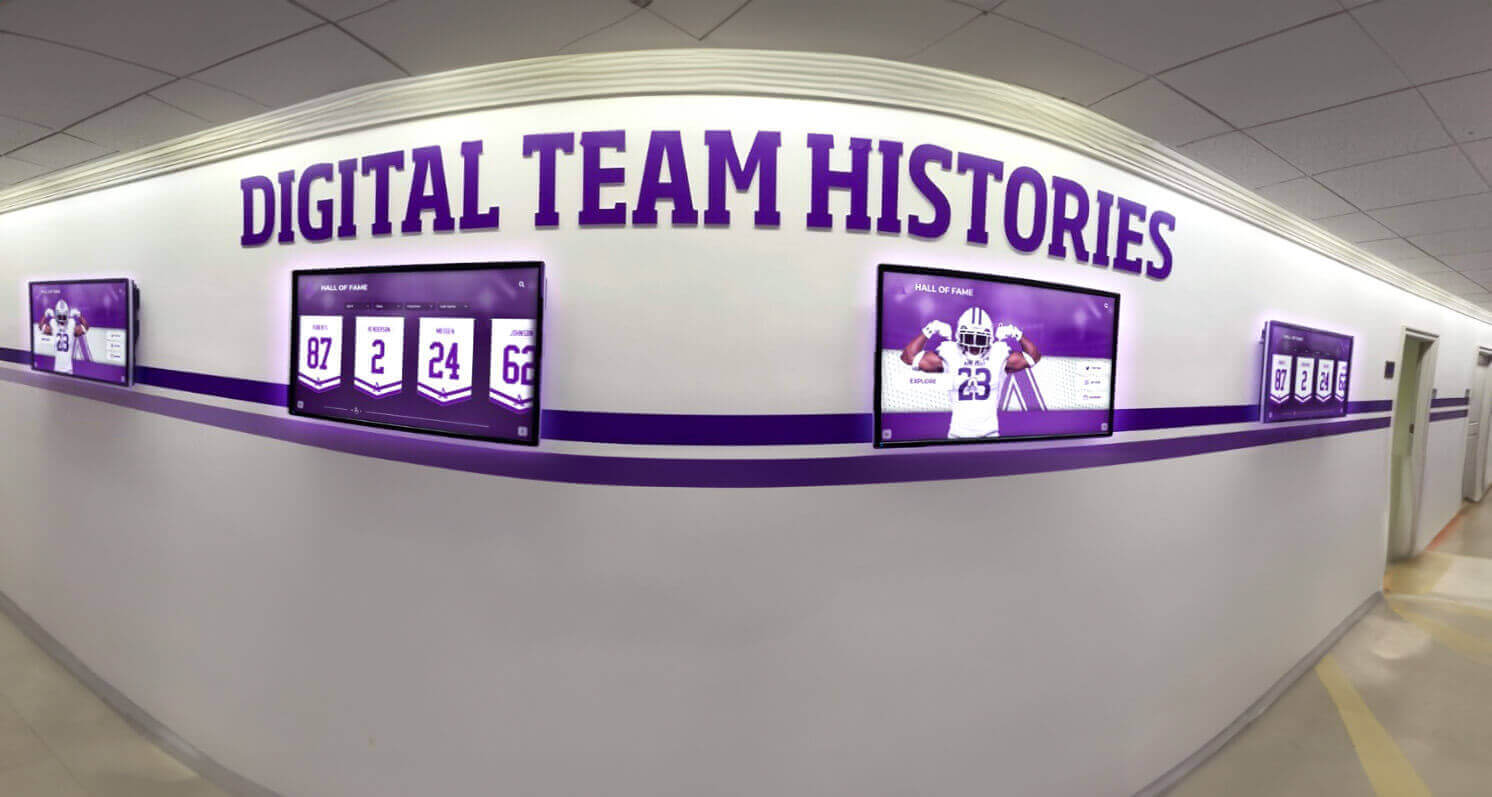
Digital displays organized by team and year can only show what the underlying inventory contains—accurate data entered during the audit phase determines what appears on every screen that follows
Mapping Banners to Display Locations
Once the inventory is complete, the display location data becomes a planning tool for facilities management, renovation projects, and new recognition installations.
Creating a Display Location Map
Plot each banner’s current location on a facility map—either a formal architectural drawing or a simple hand-drawn floor plan. The visual map reveals immediately whether championships are distributed thoughtfully across the facility or whether banners have accumulated haphazardly wherever mounting hardware existed.
Common patterns the map surfaces:
- High-traffic corridors with no championship recognition despite being the primary visitor route
- Gymnasiums with banners from ten sports crowded onto one wall with no space for additions
- Storage rooms holding banners that represent major milestones but are invisible to current students and visitors
- Spaces where different sports’ banners are mixed without logical grouping
The map also becomes the planning document for new installations. For programs considering touchscreen memory display solutions for schools, the location map identifies which spaces have the foot traffic to justify a premium display investment.
Guidelines for Display Location Decisions
Not every championship banner belongs in the same location. These principles help prioritize placement:
Visibility proportional to significance. State and national championships belong in the highest-traffic public spaces. Conference titles and regional championships can populate sport-specific hallways or team rooms. JV and lower-level titles can be honored in appropriate secondary spaces without competing for prime real estate with varsity state titles.
Sport-specific clustering. Grouping all swimming championships together, all football championships together, and so on creates navigable display sections rather than a wall of mixed banners that visitors cannot read systematically. This is especially important for athletic hallways that serve as informal recruiting environments.
Current versus historical. Many programs distinguish between banners from the current decade (which reflect the current coaching staff and active program identity) and historical banners (which honor a longer institutional legacy). These can be displayed separately with appropriate framing, or integrated with clear year markers that put each title in temporal context.
Physical condition standards. A championship banner in poor physical condition should not occupy a high-visibility display location. The inventory’s condition rating identifies which banners need restoration or digital replacement before they can be featured.
From Physical Inventory to Digital Archive
A complete championship banner inventory is the prerequisite for any digital recognition project. This is the step where the spreadsheet stops being an administrative document and starts being a content database.
What the Digital Migration Involves
Each row in the inventory becomes a record in the digital archive. The required fields align closely with what the audit captured:
- Sport and level → category and filter tags
- Championship title → primary display name
- Year (season) → date field and timeline placement
- Division/classification → context annotation
- Coach name → linked personnel record
- Photo of banner → primary display image
- Source verification → administrative metadata
For programs interested in how digital signage transforms institutional recognition and communication, the migration from physical inventory to digital record is where that transformation begins concretely—not with screen selection or software procurement, but with data quality.
Display Formats the Digital Archive Enables
Once the inventory data lives in a digital platform, it can be displayed in formats physically impossible with fabric and vinyl banners:
Searchable timeline view — visitors browse championships chronologically, filtering by sport, level, or classification. A prospective cross-country athlete can view every cross-country title the program has won without having to visually scan a gymnasium wall for banners among twenty other sports.
Sport-specific pages — each sport’s complete championship history displayed on a dedicated screen in the relevant facility. The swim team’s records in the natatorium. The basketball program’s history in the main gym. The football program’s titles in the field house.
All-time totals dashboard — a summary display showing total championships by sport and decade, giving visitors the aggregate picture at a glance rather than requiring them to count banners themselves.
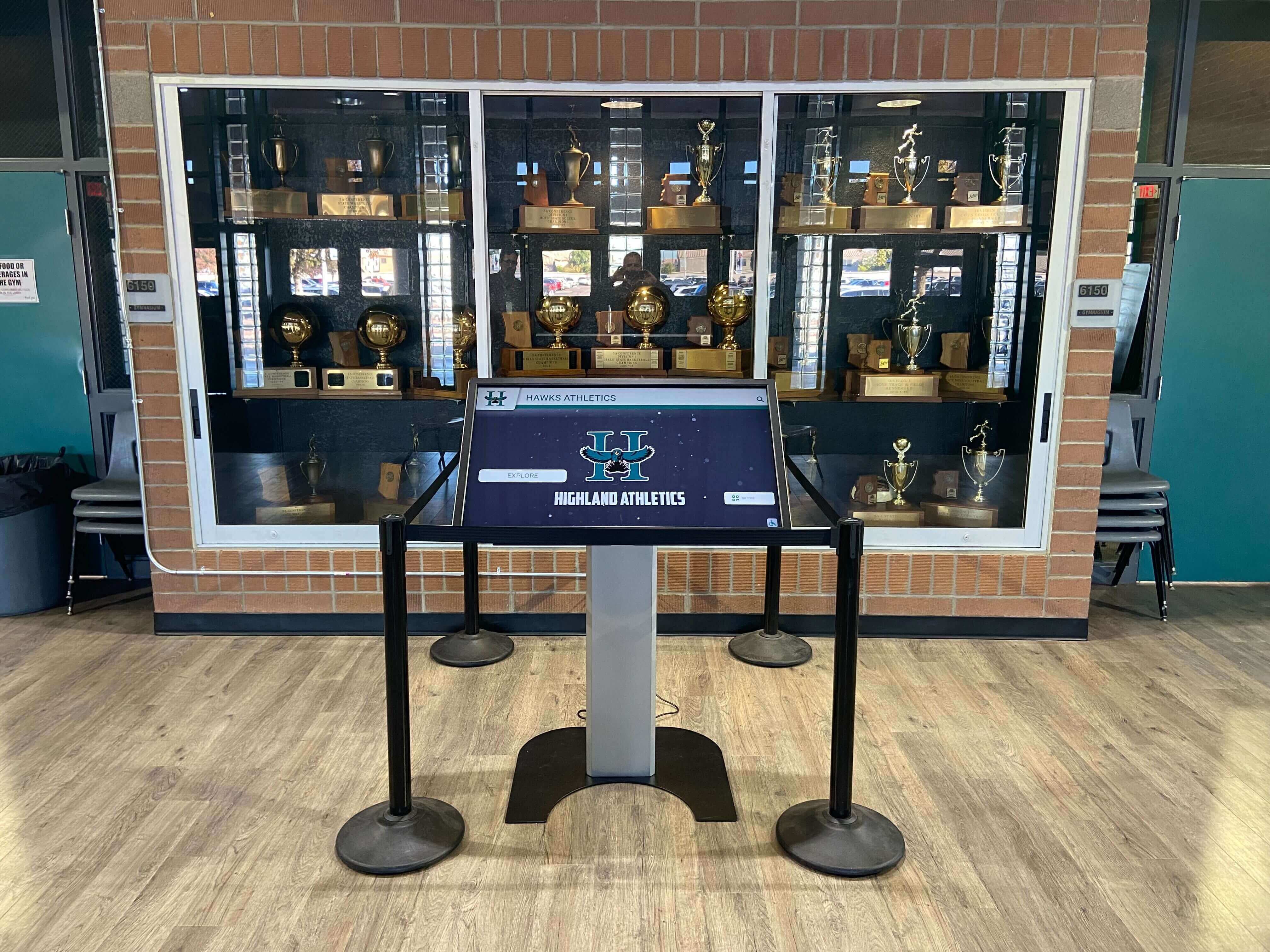
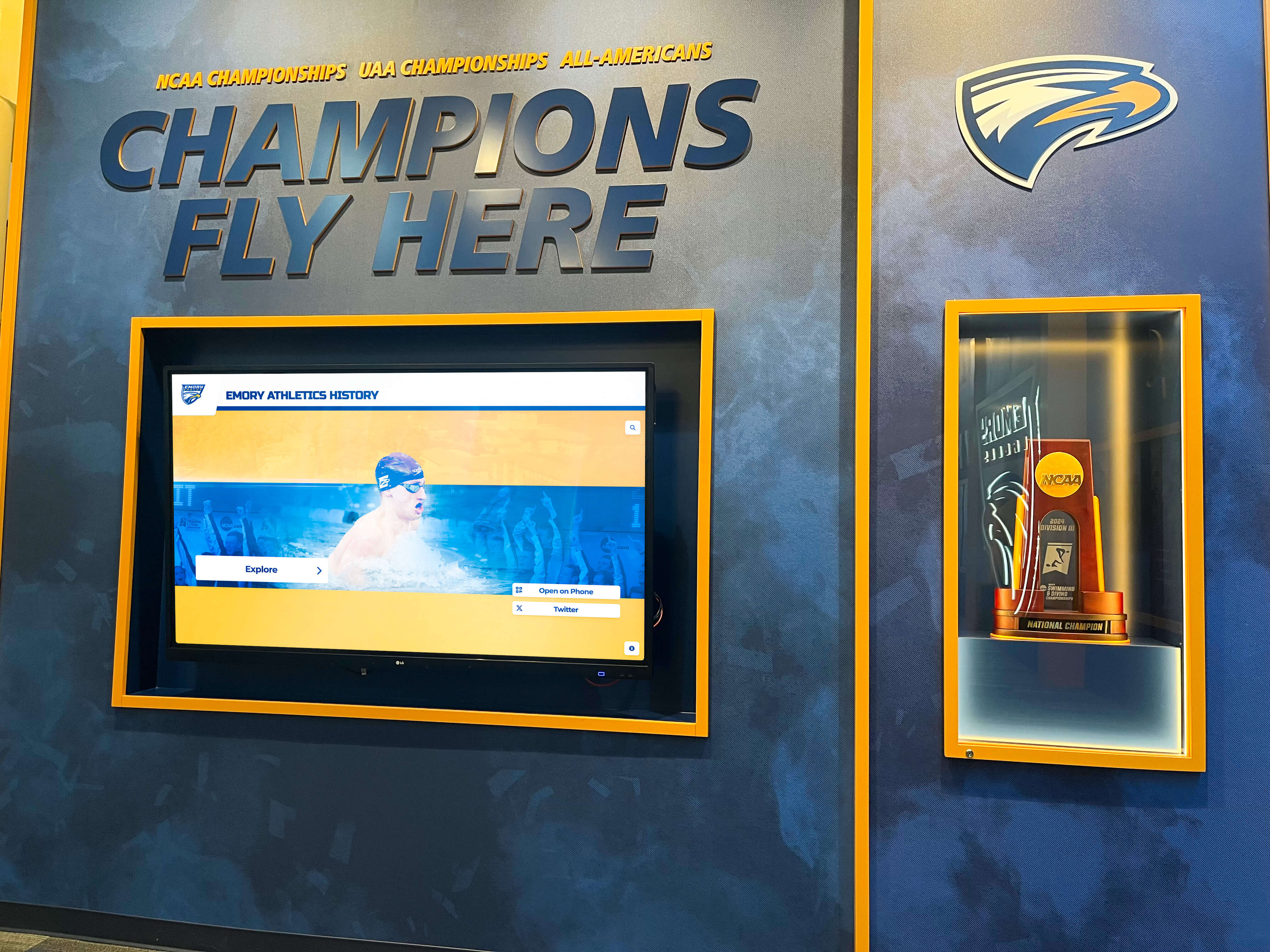
Interactive kiosks in trophy cases turn a static championship inventory into a browsable archive current students, alumni, and visitors can explore independently
Donor and sponsor recognition integration. Named facility campaigns and championship-year sponsorships can be linked directly to the title records from those years. A donor who funded the program during a championship season can be recognized in connection with that specific title—a specificity that generic donor walls cannot provide. For how digital recognition award display formats handle this kind of layered recognition, the underlying data structure is identical to what a championship banner inventory provides.
Team recognition that connects individual and collective achievement. Championship banners represent team accomplishments, but the athletes and coaches who earned them were individuals. A digital archive can link each championship record to individual athlete profiles, creating the connection between the banner and the people behind it that a fabric panel mounted fifteen feet in the air can never make. Programs that want to recognize team-first leadership and unselfish play alongside championship results will find that the digital archive structure accommodates both dimensions in ways physical displays cannot.
Maintaining the Inventory After the Initial Audit
A championship banner inventory has no value if it isn’t updated. The initial audit creates the baseline; the maintenance protocol determines whether that baseline remains accurate.
Annual Update Workflow
Build the inventory update into the existing end-of-season administrative workflow, not as a separate project. Every sport that wins a championship during the year should trigger an automatic inventory update:
- The head coach notifies the athletic director of the championship title and year
- The inventory record is created or updated within two weeks
- A banner is ordered if one is not already commissioned
- The banner is documented (photographed and measured) upon receipt, before hanging
- The display location is determined and recorded
- The digital archive record is created or updated
This five-step workflow adds minimal time to processes the department already manages and prevents the gaps and undocumented banners that require expensive remediation audits years later.
Responsibility Assignment
The inventory should have a named owner—one specific staff member who is responsible for its accuracy. Shared ownership typically means nobody takes responsibility for updates. The owner doesn’t have to conduct every audit personally, but they are accountable for ensuring records are complete, verified, and current.
For programs with multiple athletic department staff members, academic recognition frameworks offer useful models for how schools structure ownership and maintenance responsibility for recognition records that cross departmental boundaries—the same governance principles apply to athletic championship records.
Common Inventory Mistakes to Avoid
Auditing only the main gym. Championships are distributed throughout facilities in ways that are easy to overlook. A thorough inventory requires a deliberate walk-through of every space, not just the obvious ones.
Conflating different championship types. A regular-season conference championship and a conference tournament championship are distinct achievements that should occupy separate inventory entries. Combining them overstates the record or causes confusing display entries later.
Recording years without seasonal context. “1991” for a winter sport title is ambiguous. “1990-91” is not. Build the academic year convention into the spreadsheet from the first entry.
Skipping condition documentation. Condition assessments feel like administrative overhead until a banner needs to be featured in a donor reception or public display and nobody knows which ones are presentable. Photograph every banner and rate every condition during the audit.
Not designating an owner. An inventory without a named responsible party will fall behind within one athletic season. Before the audit is complete, assign ownership and write the annual update workflow into the owner’s responsibilities.
Treating the spreadsheet as the final product. The inventory is a means to an end—accurate records that power recognition displays, alumni engagement, and donor stewardship. A spreadsheet that sits in a folder and never connects to a display or archive system provides much less value than one that feeds a living digital platform.
Conclusion
A championship banner inventory is unglamorous work. It involves clipboards, storage room lighting, squinting at faded embroidery to read a year, and reconciling records that contradict each other. None of that is as appealing as choosing screen sizes or designing a wall layout. But every recognition project that bypasses the inventory phase pays for that shortcut later—in missing titles, inaccurate dates, and the ongoing administrative cost of piecing together historical records that should have been captured systematically the first time.
The inventory creates the source of truth: a single, verified, complete record of every championship a program has earned, where each banner is, what condition it is in, and which titles are documented but physically unrepresented. That source of truth is what makes it possible to build a digital wall of fame that the community trusts, a donor recognition display that connects names to titles, and an alumni archive that gives former athletes reason to return and engage for decades.
Start with the inventory. Everything else follows from what it finds.
Ready to Move Your Championship Inventory Into a Digital Display?
Rocket Alumni Solutions helps athletic departments turn completed championship inventories into searchable, permanent digital walls of fame—with touchscreen displays, web-accessible archives, and donor recognition built in.
Request a Demo