Digital Hall of Fame ARIA-Posinset and ARIA-Setsize Audit for Virtualized Inductee Lists
- Home /
- Digital Wall of Fame Blog - Recognition Display Insights & Resources /
- Digital Hall of Fame ARIA-Posinset and ARIA-Setsize Audit for Virtualized Inductee Lists
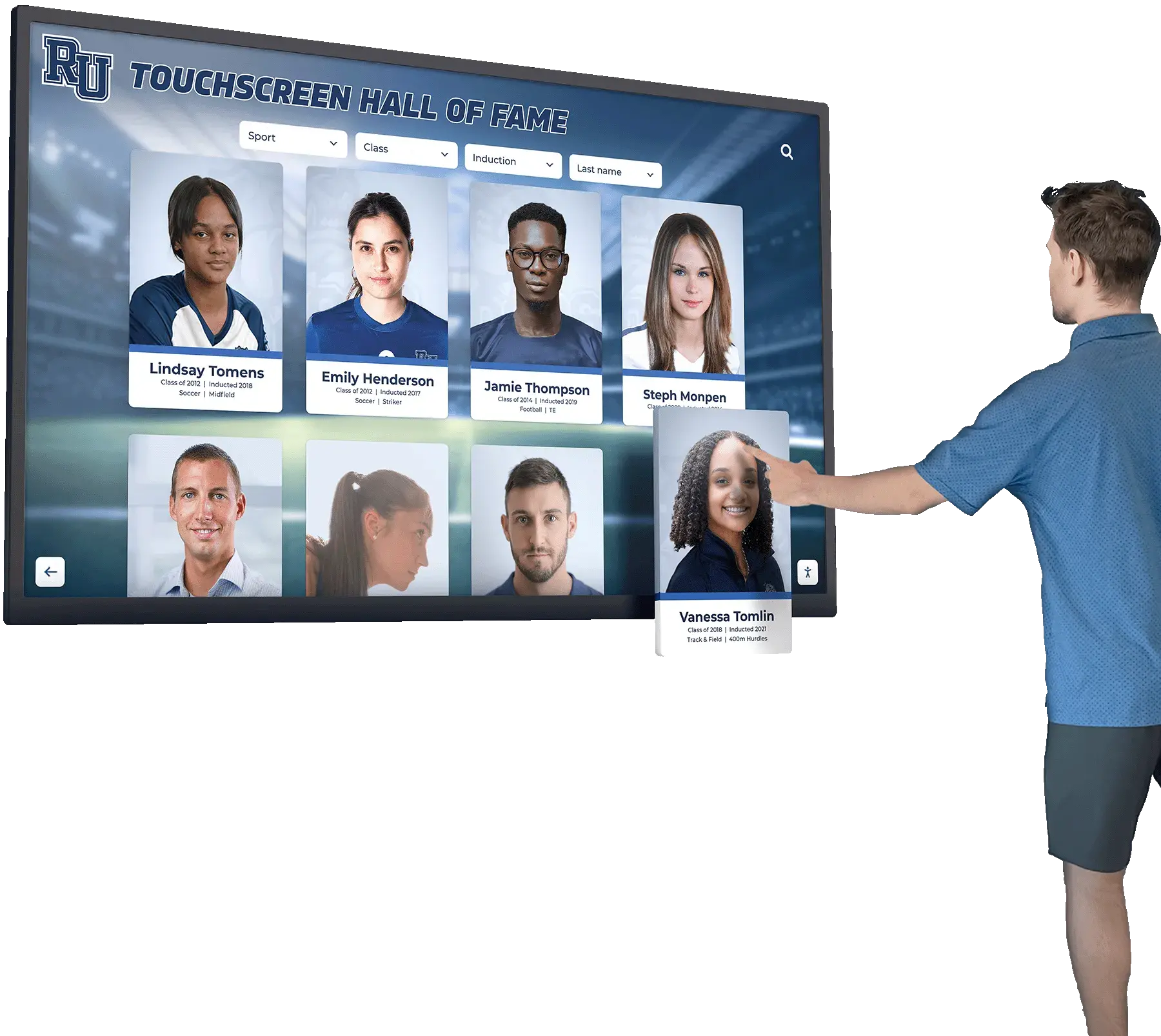
The Easiest Touchscreen Solution




Live Example: Rocket Alumni Solutions Touchscreen Display
Interact with a live example (16:9 scaled 1920x1080 display). All content is automatically responsive to all screen sizes and orientations.
A digital hall of fame aria posinset aria setsize audit is a structured review confirming that every inductee list, search result collection, sport-category roster, and class-year archive rendered through virtualization exposes accurate position and total-count information to screen readers through the aria-posinset and aria-setsize attributes. Without these attributes on virtualized list items, a visitor navigating your inductee gallery with NVDA, JAWS, VoiceOver, or TalkBack hears “item 1 of 20” when your full inductee roster contains 400 names—because only the 20 cards currently rendered in the viewport exist in the DOM. The short answer for school administrators, athletic directors, and IT teams: identify every list or grid in your recognition platform that loads items incrementally or renders only the visible portion of a large dataset, inspect each list item element in browser DevTools to confirm aria-posinset and aria-setsize carry values reflecting the full collection rather than the rendered subset, test with a screen reader to verify the announced position and count are accurate, and confirm the attributes update correctly as the user scrolls or filters.
When a visitor using a screen reader navigates your school’s digital hall of fame and hears “Athletes—list with 12 items,” they reasonably conclude that your program has honored twelve people. If your platform actually contains three hundred inductees but renders only the first twelve cards into the DOM at page load—a common performance optimization called virtualization—the twelve-item announcement is not a minor discrepancy. For the screen reader user, it is a complete misrepresentation of the collection’s scope, and it may lead them to conclude that a specific inductee is not present when the inductee simply has not yet been rendered.
For school athletic directors, IT teams, and recognition-program administrators who maintain inductee databases spanning multiple decades of achievements, virtualization is often a necessary architectural choice. A page that tries to load four hundred high-resolution portrait cards simultaneously creates long load times, memory pressure on touchscreen kiosk hardware, and a poor experience for every visitor. The aria-posinset and aria-setsize attributes exist precisely to bridge the gap between what is rendered and what is real—allowing the DOM to contain only the visible slice of the list while communicating the full list’s dimensions to assistive technology.
This audit guide walks through every surface where aria-posinset and aria-setsize are required on a recognition platform, provides a step-by-step checklist for detecting and remediating failures, and includes pass/fail markup examples drawn from common hall of fame implementation patterns.

When a recognition platform virtualizes its inductee list to improve performance, screen reader users need aria-posinset and aria-setsize to understand how many inductees exist and where each rendered card sits in the full collection
What aria-posinset and aria-setsize Do
The aria-posinset and aria-setsize attributes are defined in the WAI-ARIA specification to communicate list membership information when the DOM does not contain all members of a logical set. Both attributes are integers; both are placed on individual set members rather than on the container element.
aria-setsize communicates the total number of items in the logical set—the complete inductee list, not the number currently rendered. For a hall of fame with 350 football inductees, each rendered list item should carry aria-setsize="350", even if only 30 items are currently visible in the viewport.
aria-posinset communicates the position of the current item within that full logical set. If an inductee card represents the 47th person in the complete alphabetical list of football inductees, the card element should carry aria-posinset="47", regardless of its position among the items currently rendered.
When both attributes are present and correct, a screen reader user navigating through a virtualized inductee list hears announcements such as “Maria Johnson, Volleyball, Class of 2012, 47 of 350”—giving them an accurate sense of their position within the full collection and the collection’s total scope. Without these attributes, the same screen reader announces “Maria Johnson, Volleyball, Class of 2012, 12 of 30”—reflecting only what exists in the DOM at that moment.
The attributes apply to items with roles that support set membership: role="listitem" within a role="list", role="row" within a role="grid" or role="treegrid", role="option" within a role="listbox", and role="treeitem" within a role="tree". Native <li> elements within a <ul> or <ol> do not require these attributes when the full list is present in the DOM, because the browser derives accurate position and count information from the DOM structure automatically. The attributes are required only when the rendered set is a subset of the logical set.
Why Virtualized Inductee Lists Break Screen Reader Position Announcements
Virtualization—also called windowed rendering or virtual scrolling—is a technique that renders only the list items currently visible in the viewport (plus a small buffer zone above and below), recycling or replacing DOM nodes as the user scrolls. Libraries that implement this pattern include React Virtuoso, react-window, TanStack Virtual, and clusterize.js; many CMS platforms implement equivalent behavior internally without exposing the technique’s name to content administrators.
The accessibility problem is structural: when only 25 of 300 list items exist in the DOM, the browser reports a list length of 25. Screen readers derive their position and count announcements from the DOM, not from a parallel dataset. A JAWS or NVDA user who navigates to a virtualized inductee list hears the browser’s reported count—25—rather than the logical count—300. NVDA with Firefox, VoiceOver with Safari, and JAWS with Chrome all exhibit this behavior; none automatically corrects for virtualization without developer intervention.
Three additional failure modes compound the base problem in hall of fame implementations:
Filter state changes. When a visitor filters the inductee list by sport—switching from “All Sports” to “Track and Field”—the virtualized list re-renders with a new logical count. If the filtering mechanism does not update aria-setsize on all currently rendered items to reflect the filtered count, screen readers continue announcing the pre-filter total for any items that were already in the DOM before the filter applied.
Alphabetical jump navigation. Recognition platforms that implement A–Z letter navigation load a new virtual window anchored to the first inductee whose name begins with the selected letter. Items rendered after a letter jump must carry aria-posinset values reflecting their position within the full unfiltered alphabetical list, not position 1, 2, 3 relative to the newly rendered window.
Infinite scroll. Some platforms use infinite scroll rather than pagination, adding new items to the bottom of the DOM as the user scrolls. In infinite-scroll implementations, the aria-setsize value for a list that has not yet been fully traversed should be set to -1, the WAI-ARIA convention for indicating that the total is unknown, rather than the count of items currently loaded—which would undercount the true total and change with each scroll event.
For schools that manage multiple digital recognition surfaces—web-based inductee archives, touchscreen lobby kiosks, and mobile-accessible displays—each surface may use a different rendering approach. A complete guide to digital hall of fame implementation can help recognition teams understand which architectural choices introduce this type of accessibility requirement before selecting or upgrading a platform.
When aria-posinset and aria-setsize Are Required
Not every inductee list on a recognition platform requires aria-posinset and aria-setsize. The determining factor is whether the DOM contains all members of the logical set at the time the screen reader reads the list. A useful decision rule:
| List Rendering Pattern | aria-posinset / aria-setsize Required? |
|---|---|
| Full list rendered in DOM at page load | No — browser derives correct count automatically |
| Paginated list (each page loads a new full DOM set) | No for the page’s items; yes if items across pages are logically one set |
| Virtualized / windowed list (only visible items in DOM) | Yes — always |
| Infinite scroll with unknown total | Yes — aria-setsize="-1" until total is known |
| Filtered subset of a larger virtualized list | Yes — aria-setsize reflects filtered count, aria-posinset reflects position in filtered order |
| Search results from a virtualized result store | Yes — aria-setsize reflects total match count, aria-posinset reflects result position |
For recognition programs that also display academic or achievement records—similar to how schools recognize different categories of athletic achievement awards digitally—the same virtualization rules apply to academic honor lists, record boards, and award recipient archives as to athletic inductee galleries.
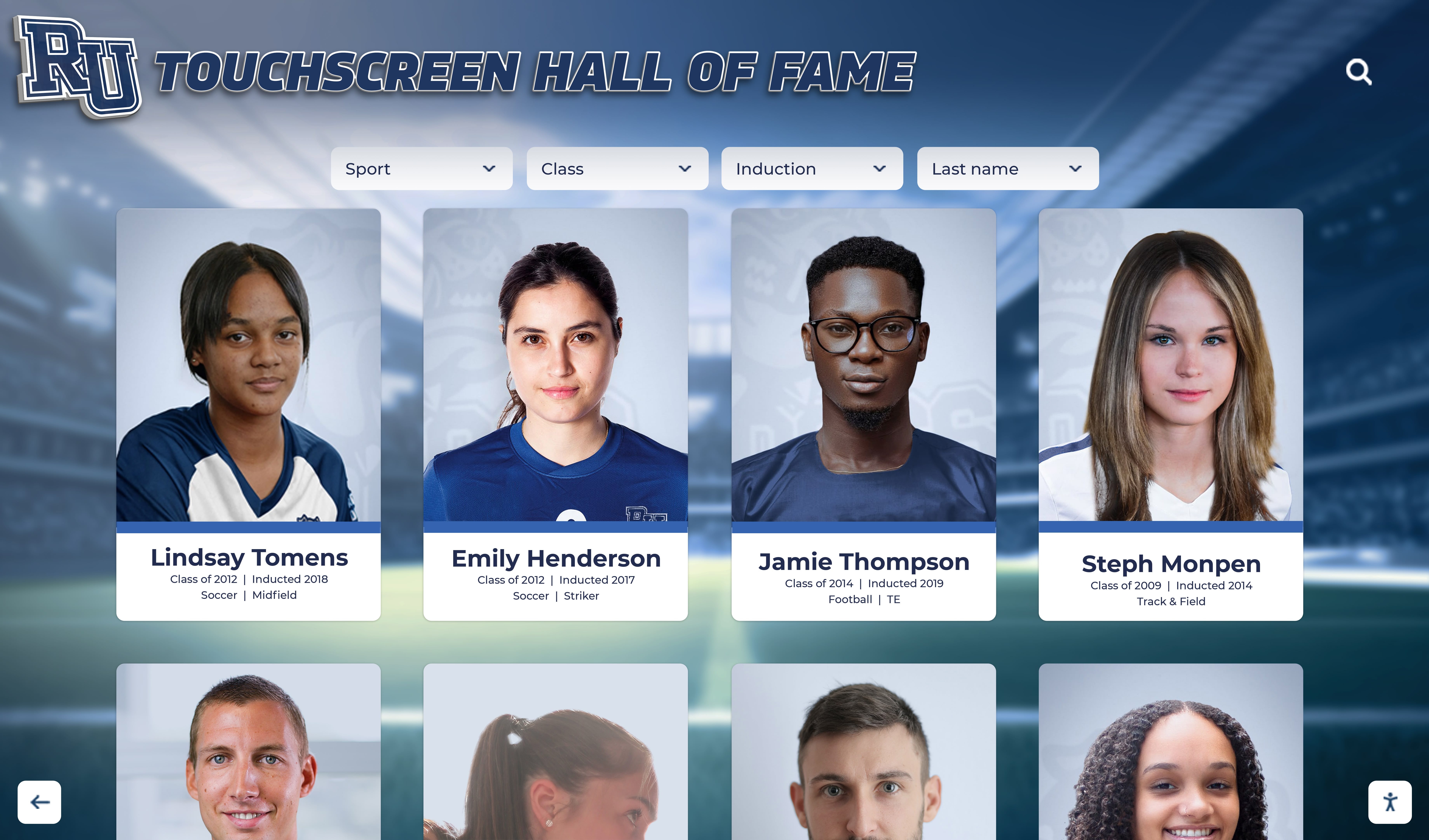
Portrait card grids that render only the visible portion of a large inductee collection require aria-posinset and aria-setsize on each card element so screen readers can report accurate position and count information
The ARIA-Posinset and ARIA-Setsize Audit: Step-by-Step Checklist
Complete this checklist on the web-based inductee collection and on any browser-rendered lobby kiosk interfaces. Steps 1 and 2 require only browser DevTools. Steps 3 and 4 require a screen reader—NVDA on Windows or VoiceOver on macOS.
Step 1: Identify Every Virtualized List Surface
Before testing, map every list or grid on the recognition platform that may be virtualized. Common virtualized surfaces on hall of fame platforms include:
- The primary inductee gallery or directory (typically the largest list on the site)
- Sport-category filtered views (Football inductees, Basketball inductees, etc.)
- Class-year archive views listing all inductees from a given graduation year
- Search results pages that return large match sets
- Record board lists showing top performers across a statistical category
- Alphabetical initial or letter-jump views
- Autocomplete dropdown lists that appear during inductee name search
For each surface, confirm whether virtualization is in use before testing for aria-posinset and aria-setsize. Open the inductee gallery and scroll to the bottom of the list. Then open DevTools and count the number of list item elements in the DOM. If the DOM item count is significantly lower than the number of inductees your platform stores in that category, virtualization is in use and the audit applies. If the DOM contains every inductee—even those out of view—the browser will compute position and count correctly without ARIA attributes.
Step 2: Inspect List Item Attributes in DevTools
For each virtualized list surface identified in Step 1, perform the following inspection.
- Load the inductee gallery page and open DevTools (F12 in Chrome, Firefox, or Edge).
- In the Elements panel, locate one of the rendered inductee card elements. The element will carry a role—
role="listitem",role="row",role="option", or similar—or will be an<li>within a<ul>rendered by a virtual list library. - Inspect the element for the
aria-posinsetandaria-setsizeattributes:
A correctly implemented virtualized list item appears as:
<!-- Virtualized listitem — correctly attributed -->
<li role="listitem" aria-setsize="350" aria-posinset="47">
  <article class="inductee-card">
    <h3>Maria Johnson</h3>
    <p>Volleyball · Class of 2012</p>
  </article>
</li>
An incorrectly implemented virtualized list item appears as:
<!-- Virtualized listitem — missing aria attributes -->
<li role="listitem">
  <article class="inductee-card">
    <h3>Maria Johnson</h3>
    <p>Volleyball · Class of 2012</p>
  </article>
</li>
In the second example, the browser reports the list’s length based on how many <li> elements are currently in the DOM—not the 350 inductees in the full collection.
- Check whether
aria-posinsetvalues are sequential and consistent with the item’s actual position in the full alphabetically or chronologically ordered list. If your platform sorts inductees alphabetically and the first rendered card is the 31st inductee alphabetically, that card should carryaria-posinset="31", notaria-posinset="1". - Confirm that
aria-setsizeis consistent across all currently rendered items within the same logical list. Every item in the same virtualized list should carry the samearia-setsizevalue. If some items showaria-setsize="350"and others showaria-setsize="30"(the rendered count), the implementation is partially correct and will produce inconsistent screen reader announcements.
Step 3: Test with a Screen Reader
With NVDA running on Windows, navigate to the inductee gallery. Use NVDA’s list navigation shortcut (L to jump to the next list; then navigate into the list with the arrow keys) to enter the inductee list.
Pass: NVDA announces each inductee card with its position and total, for example: “Maria Johnson, Volleyball, Class of 2012, 47 of 350.” The total (350) matches the actual number of inductees in the category, not the number currently rendered.
Fail: NVDA announces “Maria Johnson, Volleyball, Class of 2012, 12 of 30” when the full category contains 350 inductees. The 12 and 30 reflect only the rendered subset.
Additional fail pattern: NVDA announces position and count for the first few visible items but announces nothing for items scrolled into view after the initial render, because the newly rendered items were added to the DOM after NVDA’s initial document scan. This indicates the attributes are being set on initial render only and are not applied to items recycled during virtual scrolling.
Repeat the screen reader test with VoiceOver on macOS (VO+Right Arrow to navigate through list items) and confirm that VoiceOver’s announcements match NVDA’s for the position and count values.
Step 4: Test Filter and Scroll Interactions
The aria-posinset and aria-setsize values must remain accurate as the user interacts with the list. Test the following interaction sequences.
Sport filter test. Starting from the “All Sports” view (aria-setsize should equal total inductee count), activate the “Football” filter. After the filtered list renders, inspect three rendered items in DevTools. The aria-setsize values should reflect the number of football inductees, not the total across all sports. Listen with a screen reader to confirm the announcement matches the football-specific count.
Scroll test. Scroll the inductee list down until new cards are loaded and old cards are recycled out of the DOM. Pause with the keyboard focus on a newly rendered card. Open DevTools and inspect the card element. The aria-posinset should reflect the card’s position in the full list, not its position among the currently rendered items. If the card is the 200th inductee alphabetically, it should carry aria-posinset="200", not aria-posinset="8" (its position among the eight items currently in the DOM buffer).
Letter jump test. If the platform offers A–Z letter navigation, jump to the “S” section. Inspect the first rendered card. Its aria-posinset should reflect its position in the full alphabetical inductee list—if there are 120 inductees before “S” names begin, the first “S” card should carry aria-posinset="121".
For programs that maintain their recognition platforms alongside other school technology systems—including touchscreen lobby displays configured through hardware and display integration processes—platform accessibility audits benefit from being scheduled together with hardware configuration reviews so that kiosk rendering behavior and web rendering behavior are evaluated in the same audit cycle.
Accessibility Built Into the Platform from Day One
Rocket Alumni Solutions' digital wall of fame platform is designed with ADA and WCAG 2.1 AA compliance in mind. Virtualized inductee lists, search result sets, and filtered archives expose accurate aria-posinset and aria-setsize values at the platform level—so your recognition team can focus on honoring athletes and alumni rather than auditing markup. See how it works for your school.
Request Your Accessible DemoStep 5: Test Search Result Lists
Search result sets on recognition platforms are often returned as virtualized lists when the query matches a large number of inductees—for example, searching for a common surname on a database of 1,500 inductees. Test the following.
- Search for a term that returns more than 30 results (a common surname or a frequently shared sport category).
- Inspect the first rendered result item in DevTools for
aria-posinsetandaria-setsize. - Confirm that
aria-setsizematches the total result count displayed visually by the platform (e.g., “Showing 30 of 84 results” should correspond toaria-setsize="84"). - Confirm
aria-posinset="1"on the first result item andaria-posinset="2"on the second, and that these values update correctly as results are scrolled or as the user pages through results. - If the platform displays a “Showing X of Y results” message, confirm that the Y value matches the
aria-setsizevalues on the rendered items. - Test with a screen reader to confirm that search result position announcements are accurate.

When a visitor selects an inductee card from a virtualized list, the card's aria-posinset value must reflect its position within the entire inductee collection—not just the cards currently rendered in the DOM
Pass/Fail Code Examples
The following examples show correct and incorrect markup for the virtualized list patterns most commonly audited on school hall of fame pages.
Virtualized Inductee List — Pass
<ul role="list" aria-label="Football inductees">
  <!-- Items 31–50 are currently rendered; total football inductees: 200 -->
  <li role="listitem" aria-setsize="200" aria-posinset="31">
    <article class="inductee-card">
      <h3>Robert Alvarez</h3>
      <p>Quarterback · Class of 1998</p>
    </article>
  </li>
  <li role="listitem" aria-setsize="200" aria-posinset="32">
    <article class="inductee-card">
      <h3>David Banks</h3>
      <p>Wide Receiver · Class of 2001</p>
    </article>
  </li>
</ul>
Screen reader announces: “Robert Alvarez, Quarterback, Class of 1998, 31 of 200” — the full collection is accurately represented.
Virtualized Inductee List — Fail
<ul role="list" aria-label="Football inductees">
  <!-- aria-posinset and aria-setsize are absent; DOM contains only 20 items -->
  <li role="listitem">
    <article class="inductee-card">
      <h3>Robert Alvarez</h3>
      <p>Quarterback · Class of 1998</p>
    </article>
  </li>
  <li role="listitem">
    <article class="inductee-card">
      <h3>David Banks</h3>
      <p>Wide Receiver · Class of 2001</p>
    </article>
  </li>
</ul>
Screen reader announces: “Robert Alvarez, Quarterback, Class of 1998, 1 of 20” — the inductee count is wrong.
Infinite Scroll — Unknown Total
<!-- Use aria-setsize="-1" when the total count is not yet known -->
<li role="listitem" aria-setsize="-1" aria-posinset="1">
  <article class="inductee-card">
    <h3>Susan Chen</h3>
    <p>Swimming · Class of 2005</p>
  </article>
</li>
The value -1 tells assistive technology that the total is unknown, which is accurate for infinite-scroll patterns before the full dataset has been queried.
Filtered List — Post-Filter Count
<!-- After filtering to "Track and Field": 42 inductees match -->
<li role="listitem" aria-setsize="42" aria-posinset="1">
  <article class="inductee-card">
    <h3>Angela Torres</h3>
    <p>Track and Field · Class of 2010</p>
  </article>
</li>
After a filter is applied, aria-setsize must reflect the filtered count—42 Track and Field inductees—not the total collection size of 350.
Audit Summary Table
| Surface | Expected aria-setsize Value | Expected aria-posinset Value | Common Failure Mode |
|---|---|---|---|
| Full inductee directory (virtualized) | Total inductee count across all sports | Item’s position in full alphabetical order | Attributes absent; DOM count announced instead |
| Sport-category filtered view | Number of inductees in that sport | Item’s position within sport-specific list | aria-setsize not updated after filter applies |
| Class-year archive (virtualized) | Total inductees in that class year | Item’s position in class-year list | Attributes set on initial render only; not updated on scroll |
| Search results (large match set) | Total number of matching results | Result’s position in full result set | aria-setsize reflects loaded results count, not total match count |
| Infinite scroll (total unknown) | -1 (unknown total) | Item’s sequential position from list start | aria-setsize set to loaded count, changes with each scroll |
| A–Z letter jump view | Total inductee count (unfiltered) | Item’s position in full alphabetical list | aria-posinset reset to 1 after each letter jump |
| Record board (top performers) | Total number of record holders in category | Item’s rank position | Record position omitted; DOM position announced |
| Autocomplete dropdown (virtualized) | Total matching suggestions | Suggestion’s position in full suggestion list | aria-setsize missing on suggestion items |
Common Errors and How to Fix Them
Error: aria-posinset and aria-setsize are absent from all list items
This is the most common failure: the virtualized list library or CMS template renders items without any ARIA position attributes. Screen readers report only the rendered count. Fix: add aria-posinset and aria-setsize to each rendered item as the virtual list populates them, using the full dataset’s count for aria-setsize and the item’s absolute index in the full dataset for aria-posinset. Most virtual list libraries expose the item’s absolute index as a prop or template variable; use that value directly.
Error: aria-setsize set to the rendered buffer size, not the full list size
Some implementations set aria-setsize to the number of items currently rendered—for example, 25—rather than the total collection size—for example, 350. This often happens when the attribute is generated by the rendering loop rather than passed from the data layer. Fix: pass the total collection count as a separate value from the data layer to the rendering template, and use that total for aria-setsize rather than deriving it from the rendered items array length.
Error: aria-posinset resets to 1 after each scroll event
Virtual list implementations that recycle DOM nodes sometimes reset aria-posinset when a node is reused for a new item. If the attribute is not updated to the new item’s absolute index when the node is recycled, newly rendered items carry the previous item’s aria-posinset value. Fix: ensure that every time a virtual list node is reused for a new item, both aria-posinset and aria-setsize are updated to reflect the new item’s position.
Error: aria-setsize not updated after filter is applied
Items that were already rendered before a filter was applied may continue to carry the pre-filter aria-setsize value even after the filtered list renders. Fix: when the filter state changes, update aria-setsize on all currently rendered items to reflect the filtered count. Most JavaScript frameworks provide lifecycle hooks that trigger when filter state changes; use those hooks to update the attribute.
Error: aria-setsize shows the total collection count on filtered views
After filtering to a specific sport, a correctly implemented list should show aria-setsize equal to the number of inductees in that sport, not the full collection total. Showing the full total after filtering is misleading—it tells the screen reader user there are 350 inductees in this view when there are 42. Fix: derive aria-setsize from the filtered result count, not the unfiltered collection size.
For recognition programs that are evaluating platforms with the keyboard navigation accessibility checklist alongside this aria-posinset and aria-setsize audit, note that both audits address the same WCAG 4.1.2 success criterion from different angles: keyboard navigation ensures controls are operable; position and count attributes ensure state is programmatically determinable. Both are required for a screen reader user to navigate a large inductee list effectively.
Schools managing digital asset libraries alongside recognition platforms—including programs that use digital asset management systems for school media collections—often apply the same virtualization pattern to large image or document libraries, where the aria-posinset and aria-setsize requirements are equally applicable.
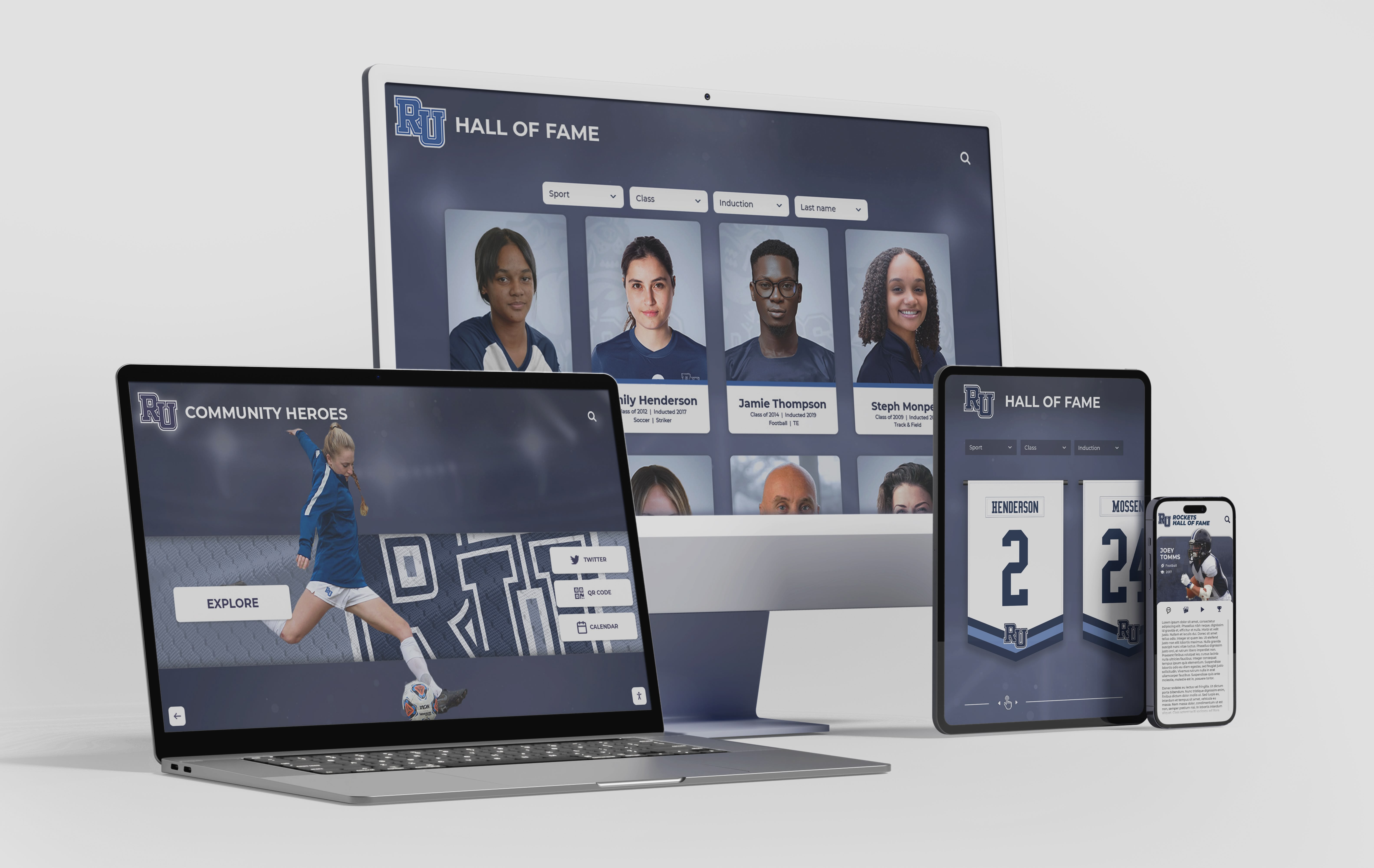
Virtualized inductee lists must expose accurate position and count information across every interface—desktop browsers, mobile devices, and touchscreen kiosk displays—where the recognition platform is accessed
Frequently Asked Questions
Q: Does WCAG 2.1 explicitly require aria-posinset and aria-setsize?
A: WCAG 2.1 Success Criterion 4.1.2 (Name, Role, Value) at Level A requires that for all user interface components, the name, role, and current value or state can be programmatically determined. For a list item, “value” in this context includes its position within the set—information that is visually apparent from the layout but unavailable to screen readers when virtualization removes list items from the DOM. The WAI-ARIA specification defines aria-posinset and aria-setsize as the standard mechanism for communicating this information programmatically. A virtualized inductee list that omits these attributes effectively removes position-in-set information from assistive technology. Consult the authoritative WCAG 2.1 specification at www.w3.org and your institution’s accessibility advisor for compliance guidance specific to your program.
Q: Do these attributes apply to grid layouts as well as vertical lists?
A: Yes. Recognition platforms that display inductees in a card grid—multiple columns of portrait cards rather than a single vertical list—commonly use role="grid" or role="list" for the container and role="gridcell" or role="listitem" for individual cards. When the grid is virtualized, the position attributes apply to the individual cell or item elements within the grid, not to the row or column container. Each rendered card should carry aria-posinset reflecting its position in the full inductee collection and aria-setsize reflecting the full collection count, regardless of how the cards are arranged in columns.
Q: What value should aria-setsize carry when the total count is not known?
A: The WAI-ARIA specification reserves the value -1 to indicate that the total set size is not known at rendering time. This is the correct value for infinite-scroll implementations before the end of the dataset has been reached. Once the full collection has been loaded or the total count has been returned by the server, aria-setsize should be updated to reflect the actual total. Using -1 when the true count is known but inconvenient to compute is an incorrect use of the convention.
Q: Our hall of fame platform uses React Virtuoso. Does it add these attributes automatically?
A: React Virtuoso exposes the item’s absolute index through its rendering API, but does not automatically populate aria-posinset and aria-setsize on rendered items. You must pass the absolute index and the total item count to your item rendering component and apply the attributes manually. The same is true for react-window, TanStack Virtual, and most other virtual list libraries—they provide the data needed to set these attributes but do not set them for you. Check your library’s documentation for the prop name that exposes each item’s absolute index, and use the total item count from your data layer for aria-setsize.
Q: How does this differ from aria-current audits for navigation?
A: The aria-current attribute communicates which item in a navigation set represents the current page or current selection state. The aria-posinset and aria-setsize attributes communicate where an item sits within a logical set and how large that set is. These are complementary attributes that address different aspects of list accessibility: aria-current answers “which item am I on?”, while aria-posinset and aria-setsize answer “where in the full list is this item, and how many items are in the list?” Both are required for a complete accessibility implementation of a recognition platform’s inductee lists and navigation structures.
Q: Can automated accessibility scanners detect missing aria-posinset and aria-setsize?
A: Automated scanners such as axe, WAVE, and Lighthouse have limited ability to detect missing position attributes on virtualized lists. The fundamental challenge is that scanners analyze the DOM at a single point in time and cannot easily determine whether a list is virtualized or whether rendered items represent a subset of a larger collection. A scanner that runs against a page showing 25 of 300 inductees sees a list of 25 items with no position attributes and cannot independently confirm whether 25 is the full collection or a rendered subset. Manual DevTools inspection combined with screen reader testing remains the reliable audit method for this class of accessibility requirement.
Q: Should we audit lobby kiosk interfaces using the same checklist?
A: Yes. Hall of fame kiosk interfaces that render in a browser-based environment—the most common architecture for modern touchscreen recognition systems—are subject to the same HTML and ARIA requirements as web-based pages. A kiosk displaying a virtualized inductee gallery should carry aria-posinset and aria-setsize on rendered items just as the web-based version does. Kiosk interfaces that support an external keyboard or assistive technology peripheral—required for ADA compliance at many school facilities—depend on these attributes for the same reasons that web-based visitors do. Recognition programs expanding their programs to include digital donor recognition and community recognition displays should apply this checklist to donor name lists and recognition archives as well.
Every recognition program builds its hall of fame to last—representing an institution’s athletic and academic history across decades. A aria-posinset and aria-setsize audit ensures that the technical layer communicating that history to screen reader users is as complete and accurate as the records themselves. For a virtualized inductee list with three hundred names, the difference between announcing “1 of 20” and “1 of 300” is the difference between a recognition program that appears to honor twenty people and one that honestly represents its full scope. Adding these two integer attributes to rendered list items is among the smallest and most impactful accessibility improvements available to a recognition platform’s development team—and verifying them requires nothing more than DevTools and a screen reader, both freely available.
Learn more about Rocket Alumni Solutions’ Digital Wall of Fame platform to understand how the platform’s cloud-based CMS and accessible list architecture handle virtualization, position attributes, and screen reader compatibility at the template level for inductee galleries of any size.
See an Accessible Digital Hall of Fame in Action
Rocket Alumni Solutions builds interactive touchscreen and web-based recognition programs designed to serve every visitor—keyboard users, touch users, and screen reader users alike. Accurate aria-posinset and aria-setsize implementation, accessible navigation states, and cloud-based CMS tools are built into the platform so your team can focus on honoring athletes and alumni. Schedule a custom demo to see how it handles virtualized inductee lists across any device or screen size.
Request Your Custom DemoLive Example: Rocket Alumni Solutions Touchscreen Display
Interact with a live example (16:9 scaled 1920x1080 display). All content is automatically responsive to all screen sizes and orientations.




























