



A digital hall of fame bidirectional name display audit is a structured review confirming that inductee profiles containing Arabic or Hebrew names render their names, jersey numbers, punctuation, and induction dates in the correct visual order—so a visitor reading your recognition display sees the authentic spelling and logical sequence the athlete’s name requires, not a scrambled rearrangement caused by the browser’s Unicode Bidirectional Algorithm. The short answer for school athletic directors and IT teams: wrap every Arabic or Hebrew inline phrase in a <bdi> element when the direction is unknown at runtime, or in a <span dir="rtl"> when it is known; place Unicode directional marks (‏ or ‎) after any RTL phrase that is immediately followed by a number, punctuation, or a logically separate phrase in the opposite direction; verify the result visually in a browser and with a screen reader before the induction ceremony; and document which profile fields accept names in scripts other than Latin so each one receives the same treatment.
When a school recognizes an athlete whose name is written in Arabic or Hebrew script, the recognition display owes that athlete the same dignity afforded to athletes whose names fall entirely in the Latin alphabet: the name should appear exactly as it is spelled, in the correct reading order, without any surrounding numbers or punctuation migrating to the wrong side of the text. A jersey number that belongs after the name should not appear before it. An induction date that belongs to the right of the name should not wrap unexpectedly to the left. Parentheses around a nickname should not reverse so the opening parenthesis appears at the closing end of the text. These are not cosmetic glitches—they alter the meaning and legibility of the inductee’s record and signal to families and community members that the recognition program did not handle the name with care.
For school athletic directors, IT teams, and accessibility or preservation staff who manage digital inductee archives, the bidirectional name display audit is the test that catches these errors before they appear in public. It does not require specialized software—a modern browser, browser DevTools, and a screen reader are sufficient—and it can be completed in under an hour even on a platform with dozens of profile templates.

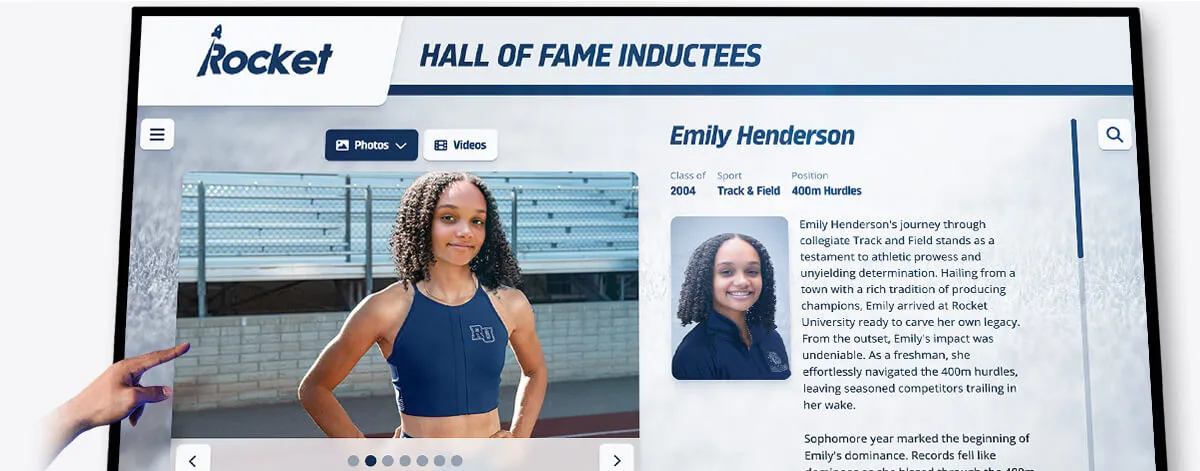
An inductee profile card with name and event fields—when the same fields display Arabic or Hebrew names alongside jersey numbers, dates, and punctuation, the browser's bidi algorithm requires explicit markup to preserve the correct visual reading order
Why Bidirectional Errors Appear in Athletic Profiles
Arabic and Hebrew are right-to-left scripts. When an Arabic or Hebrew inductee name appears inline alongside left-to-right text—a jersey number, an induction year, a sport label—the browser applies the Unicode Bidirectional Algorithm to determine the visual display order of each character run. The algorithm is powerful and handles most mixed-direction content correctly, but it makes mistakes when an opposite-direction phrase touches neutral characters (punctuation, spaces, digits) that could logically belong to either direction.
The most common failure in athletic profiles: an Arabic name rendered in an otherwise left-to-right profile line causes the jersey number or record that follows it to attach visually to the wrong side. A line intended to read—in logical order—#22 — يُوسُف العَزيز — Basketball may render so that the number migrates to the right end of the Arabic text rather than remaining at the left. The number has not moved in the document source; its visual position has been reordered by the algorithm’s interpretation of how digits adjacent to RTL text should be displayed.
A second common failure involves punctuation. Arabic text that ends with a comma or period—neutral characters in the Unicode bidi model—may pull that punctuation to the right end of the display line, visually detaching it from the LTR content it was meant to follow. Parentheses around a nickname, an em dash separating name from record, a slash between two values: all are neutral characters the algorithm can misplace without explicit directional markup.
The W3C advises in its inline bidi markup guidance that problems consistently occur when an opposite-direction phrase begins or ends with neutral characters, begins with a number, is followed by a number, or is followed by another logically separate opposite-direction phrase. All four of these conditions appear routinely in athletic recognition profiles.
The HTML Elements and Attributes That Fix Bidirectional Display
Three tools address bidirectional display errors in athletic profile markup. Understanding when each applies is essential before beginning the audit.
<bdi> (Bidirectional Isolate element) is the appropriate wrapper when your profile system inserts inductee names from a database or CMS at runtime and the direction of each name may vary. The <bdi> element isolates the enclosed text from the surrounding paragraph direction, preventing the name’s directionality from affecting adjacent numbers, punctuation, or text. Per the W3C inline bidi markup guidance, the <bdi> element is the recommended tool when you do not know in advance whether the inserted text is right-to-left or left-to-right. A profile template that renders:
<p><bdi>يُوسُف العَزيز</bdi> — #22 — Basketball</p>
produces the correct visual order regardless of which direction the name’s first strong directional character determines.
dir="rtl" / dir="ltr" on a <span> is appropriate when the profile template already knows the direction of the text—for example, a form field explicitly tagged as Arabic-language input. Per the W3C guidance, the most reliable approach when direction is known is to tightly wrap every opposite-direction phrase in markup and set the dir attribute on that wrapper. Nesting is supported for phrases that themselves contain embedded opposite-direction runs:
<p>Inducted: <span dir="rtl">يُوسُف العَزيز</span>, Class of 2019</p>
‏ and ‎ (Unicode directional marks) are invisible characters inserted immediately after an opposite-direction phrase to guide the bidi algorithm when the phrase is followed by a number, punctuation, or another logically separate phrase. The W3C guidance recommends inserting ‎ (Left-to-Right Mark, U+200E) after a RTL phrase in an otherwise LTR surrounding context, and ‏ (Right-to-Left Mark, U+200F) after a LTR phrase in an otherwise RTL surrounding context. These marks do not render visibly but anchor the algorithm’s interpretation of what belongs to each direction:
<p><span dir="rtl">אבי קוהן</span>‎ — Class of 2022 — Soccer</p>
The dir="auto" value on a wrapper element instructs the browser to determine direction from the first strong directional character in the enclosed text. This is a useful fallback when neither the template nor the CMS knows the direction in advance and <bdi> cannot be used (for example, on older CMS templates that allow dir attributes but not HTML5 elements).

Each inductee profile card in a touchscreen gallery may contain Arabic or Hebrew names in its name field—bdi or dir markup on that field ensures the name, record, and sport label render in the correct visual order for every visitor
Six Profile Fields Where Bidirectional Display Errors Appear
Before running the audit, identify every profile field on your hall of fame platform that may receive Arabic or Hebrew text. These six fields are the most common sources of display errors in athletic recognition profiles.
1. Primary name field. The inductee’s full name is the most visible field on the profile. An Arabic or Hebrew name in the primary name field affects everything adjacent to it in the same line or block: subtitle text, record values, sport labels.
2. Jersey number or record number. A jersey number rendered directly after an RTL name—يُوسُف العَزيز #22—is a classic bidi failure point. The number may visually attach to the right side of the Arabic text rather than the left, because digits adjacent to RTL text are treated by the bidi algorithm as potential RTL numerals.
3. Induction year and date fields. Dates formatted as month/date/year or as “Class of 2022” are LTR sequences. When rendered on the same line as an RTL name, the slash in the date or the space before the year may be incorrectly pulled toward the RTL text, displacing the date from its intended position in the reading order.
4. Sport or event label. Labels like “Basketball,” “Soccer,” or “Track & Field” are LTR. When they appear in the same rendered line as an RTL name—especially separated only by an em dash or pipe character—the neutral separator may migrate to the wrong side.
5. Nickname or alternate name. Nicknames are frequently enclosed in parentheses or quotation marks: يُوسُف "Joe" العَزيز. Parentheses and quotation marks are neutral characters in the bidi algorithm. Without directional markup, the algorithm may reverse the positions of the opening and closing quotation marks, producing a visually mirrored version of the intended nickname display.
6. Biographical text with inline name references. Biographical paragraphs that reference an athlete’s name inline—“In 1998, يُوسُف العَزيز set the school record for…"—require <bdi> or <span dir="rtl"> wrapping every occurrence of the name within the paragraph, not only in the heading field.
The Bidirectional Name Display Audit: Step-by-Step
Complete this checklist on the web-based inductee gallery and on any browser-rendered kiosk interface that displays inductee profiles. Steps 1 through 4 require a browser and DevTools. Step 5 requires NVDA on Windows or VoiceOver on macOS.
Step 1: Map Every Profile Field That Can Receive RTL Names
Before testing, list every field type in your hall of fame platform that accepts free-text name input. For each field, record:
- The field name in the CMS or database (e.g.,
full_name,display_name,nickname) - The HTML element used to render it in the profile template
- Whether the field value is inserted into a block or inline context
- What adjacent content appears in the same rendered line (jersey number, year, sport label, punctuation)
A field rendered in its own block element (<h1>, <h2>, <p> with no inline siblings) is less likely to produce bidi errors than a field rendered inline beside a jersey number or date. Document both so you know which fields require the most urgent attention.
Step 2: Test Name and Jersey Number Display
Using a test or staging profile, enter an Arabic or Hebrew name in the inductee name field alongside a jersey number or record number in the same rendered line.
A representative test case: enter an Arabic name in the name field and a two-digit number in the jersey or record field. Verify:
- The number appears to the intended side of the name (typically the right, in an LTR-base profile layout)
- The number has not migrated to the opposite side
- A hash symbol (
#) preceding the number remains attached to the number, not to the RTL text
If the number has migrated, examine the profile template in DevTools. The name field element should carry <bdi> or dir="rtl" (or dir="auto" if direction is determined at runtime). If neither is present, add <bdi> around the name field’s template insertion point.
Also insert ‎ immediately after the closing tag of the name element and before the jersey number to anchor the bidi algorithm’s interpretation of the junction between the RTL name and the LTR number.
Step 3: Test Name and Induction Date Combinations
Enter a Hebrew or Arabic name in the name field on a profile where the induction date or class year appears in the same rendered line or block.
Verify:
- The year (“Class of 2022”) appears in the correct position relative to the name
- The slash in a date like “09/15/2022” has not been pulled toward the RTL name
- Parentheses around a class year—
(Class of 2022)—have not been reversed so the closing parenthesis appears before the opening one
A reversed parenthesis around a date or year is a reliable indicator that the adjacent RTL text has no directional isolation. Fix by wrapping the RTL name in <bdi> or <span dir="rtl"> and adding ‎ after it if the date follows immediately.
Step 4: Test Punctuation Between Name and Sport Label
On a profile where the inductee name and sport label appear separated by an em dash, pipe, or colon, enter an Arabic or Hebrew name and verify:
- The em dash or pipe appears between the name and the sport label, not at the far end of the RTL text
- A colon after the sport label—“Sport: Basketball”—has not moved position because of adjacent RTL text elsewhere in the block
- The sport label itself reads left-to-right regardless of the RTL name on the same line
Neutral characters (em dashes, pipes, colons, spaces) are the most common migration candidates. If any neutral character has moved, the RTL name is influencing the surrounding bidi context. Wrapping the name in <bdi> isolates its directional influence and returns neutral characters to the position the surrounding LTR context expects.
Step 5: Verify bdi and dir Presence in DevTools
Open browser DevTools (F12) and locate the rendered profile template for an inductee with an Arabic or Hebrew name.
Pass: The name field renders as one of the following patterns:
<!-- Pattern 1: bdi for unknown runtime direction -->
<bdi>يُوسُف العَزيز</bdi>

<!-- Pattern 2: span with dir for known direction -->
<span dir="rtl">יוסף כהן</span>

<!-- Pattern 3: dir=auto on existing inline wrapper -->
<span dir="auto">يُوسُف العَزيز</span>
Fail: The name appears without any directional wrapper:
<!-- No isolation: name influences surrounding content direction -->
<span class="inductee-name">يُوسُف العَزيز</span>
Also inspect the template source rather than only the rendered DOM. Some CMS platforms strip unrecognized HTML5 elements like <bdi> during content sanitization. If <bdi> is present in the template source but absent in the rendered output, the CMS sanitizer is removing it. In this case, use <span dir="auto"> or <span dir="rtl"> as the wrapper instead—the dir attribute on a <span> achieves the same isolation effect and is less likely to be stripped.
Step 6: Test With a Screen Reader
With NVDA running on Windows, navigate to a profile containing an Arabic or Hebrew inductee name.
- Press Tab to reach the profile name field
- Listen to how NVDA announces the name. NVDA should read the name as a coherent unit, not as separate fragments interspersed with numbers or punctuation read out of sequence
- Listen for any unexpected announcement of numbers before the name text when they should logically appear after it
With VoiceOver on macOS (Command + F5), navigate to the profile and listen for the same sequence. VoiceOver’s language switching behavior for Arabic and Hebrew may announce the name differently depending on system language settings, but the order of announced content—name, then number, then label—should match the logical reading order intended by the profile template.
Bidirectional display errors that are visible to sighted visitors as misordered numbers and punctuation also affect the order in which screen readers encounter inline text. A name field that pulls a jersey number to the wrong visual side may also cause a screen reader to announce the number before the name, reversing the expected sequence for users navigating by audio alone. The reading order accessibility audit for inductee pages covers how DOM order and visual display order can diverge and how to identify the gap—a complementary check to the bidirectional name display audit.
Pass/Fail Code Examples
The following examples show correct and incorrect markup for the name-plus-number and name-plus-date patterns most commonly audited on athletic recognition profiles.
Arabic Name and Jersey Number — Pass
<p class="inductee-record">
<bdi>يُوسُف العَزيز</bdi>‎ — #22 — Basketball
</p>
The <bdi> element isolates the Arabic name from the surrounding LTR context. The ‎ after the closing </bdi> tag anchors the em dash and jersey number to the LTR base direction of the surrounding paragraph, so neither migrates toward the Arabic text.
Arabic Name and Jersey Number — Fail
<p class="inductee-record">
  يُوسُف العَزيز — #22 — Basketball
</p>
No directional isolation. The Arabic text’s RTL direction may pull the em dash and the #22 toward the right end of the Arabic run, reordering the visual line.
Hebrew Name and Induction Year — Pass
<p class="inductee-header">
<span dir="rtl">אבי קוהן</span>‎, Class of 2022 — Soccer
</p>
The <span dir="rtl"> tightly wraps the Hebrew name. The ‎ after the closing tag prevents the comma and “Class of 2022” from being pulled into the RTL run.
Hebrew Name and Induction Year — Fail
<p class="inductee-header">
  אבי קוהן, Class of 2022 — Soccer
</p>
The comma is a neutral character. Without directional isolation, the bidi algorithm may attach the comma to the Hebrew text’s RTL run rather than the following LTR content, producing a visually reversed separator.
Unknown-Direction CMS Field — Pass
<!-- Profile template variable: inductee name from database -->
<p><bdi>{{ inductee.name }}</bdi>‎ — {{ inductee.sport }}</p>
The <bdi> element handles both LTR and RTL names from the database without requiring the template to know each name’s direction in advance.
Known-Direction Arabic Field — Pass
<p>
Inducted:
<cite dir="rtl">يُوسُف العَزيز</cite>‎,
<time datetime="2019-06-01">June 2019</time>
</p>
When the inline element type is semantically appropriate—<cite> for a name in a citation context—add dir="rtl" directly to that element rather than wrapping it in an additional <span>. This follows the W3C recommendation to use existing markup rather than adding a wrapper when an appropriate element already tightly wraps the phrase.
Celebrate Every Athlete's Name With Confidence
Rocket Alumni Solutions' digital wall of fame platform is built to honor inductees whose names span multiple scripts and languages. Request a demo to see how the platform handles Arabic, Hebrew, and other right-to-left names in profile templates—including jersey numbers, induction dates, and sport labels—so your recognition program celebrates every athlete with the accuracy their legacy deserves.
Request Your Custom DemoAudit Decision Table: bdi vs dir vs Unicode Directional Marks
When choosing how to address a bidirectional display error in an athletic profile field, the choice of tool depends on three factors: whether the direction is known at template authoring time, whether the name is inserted at runtime from a database, and what adjacent content the name field shares a line with.
| Profile Situation | Recommended Tool | Notes |
|---|---|---|
| CMS inserts name at runtime; direction unknown | <bdi>{{ name }}</bdi> | Use bdi for all unknown-direction insertions; it isolates the run and prevents influence on adjacent content |
| Template knows the script is Arabic or Hebrew | <span dir="rtl">{{ name }}</span> | Set direction explicitly when the field is always RTL; prevents browser from guessing |
| Name immediately followed by a jersey number or LTR digit | Add ‎ after closing tag | Anchors the number to LTR base direction; prevents digit from migrating into RTL run |
| Name immediately followed by punctuation only | <bdi> or dir="rtl" plus ‎ | Neutral characters migrate unless base direction of surrounding context is asserted |
Older CMS strips <bdi> during sanitization | <span dir="auto">{{ name }}</span> | dir=“auto” on span achieves similar isolation; less likely to be stripped than the bdi element |
| Nested opposite-direction phrase inside RTL name | Nest a <span dir="ltr"> inside the outer RTL wrapper | Per W3C guidance, nest markup to reflect the structure of embedded direction changes |
| Full profile block is RTL (Arabic-language interface) | dir="rtl" on the block element | Block-level dir is covered in structural markup guidance; inline bdi/dir still needed for LTR runs inside the block |
Common Errors and How to Fix Them
Error: Name field has no directional wrapper in the profile template
The most common failure: the CMS template inserts the inductee name into an inline context with no <bdi>, no dir attribute, and no Unicode directional marks. The browser applies its default bidi resolution and produces incorrect visual order whenever the name contains strong RTL characters adjacent to digits or punctuation.
Fix: Add <bdi>{{ name }}</bdi> around every template insertion point where an inductee name from the database appears inline beside a number, date, or sport label. If the CMS strips <bdi>, use <span dir="auto">{{ name }}</span> as an equivalent.
Error: <bdi> present in template source but stripped in rendered HTML
Some CMS content sanitizers remove HTML5 elements they do not recognize, including <bdi>. The template source shows correct markup but the rendered profile page contains none.
Fix: Switch to <span dir="auto"> or <span dir="rtl"> as the wrapper. The dir attribute on a <span> achieves equivalent isolation and is rarely stripped by sanitizers that allow dir attributes on standard elements.
Error: Jersey number migrates to the wrong side after RTL name
A jersey number or # symbol intended to appear to the right of the name in an LTR layout migrates to the right end of the RTL name text, reading as if it precedes the name in the LTR base direction.
Fix: Wrap the name in <bdi> or <span dir="rtl"> and add ‎ immediately after the closing tag, before the jersey number. The ‎ mark asserts LTR direction at the junction, anchoring the number to the surrounding LTR context.
Error: Parentheses around a nickname appear reversed
A nickname enclosed in parentheses—(nickname)—visually displays as )nickname( because the parentheses are neutral characters whose visual positions the bidi algorithm assigned to the RTL context of the adjacent name.
Fix: Tightly wrap the entire name-plus-nickname phrase in a <bdi> or directional <span> so the parentheses are contained within the same directional isolation as the text they enclose. Place ‎ after the closing tag if additional LTR content follows on the same line.
Error: Induction date slash migrates toward RTL name
A slash in a formatted date—09/15/2022—migrates toward the preceding RTL name because slashes are neutral characters. The date may render as 09 15/2022 with the first slash relocated, or the entire date may shift position.
Fix: Wrap the RTL name in <bdi> and add ‎ after it. The directional isolation prevents the slash from being pulled into the RTL run. If the date must appear on the same line as the RTL name without a wrapper on the date itself, the ‎ after the name is sufficient to anchor the date to the LTR base direction.
Error: Screen reader announces jersey number before the name
A bidirectional display error that produces misordered visual content often also produces misordered audio output when the same element is navigated by screen reader. NVDA may announce #22 before announcing the name because the bidi rendering has visually relocated the number to the start of the rendered line, and the screen reader follows the rendered visual order rather than the DOM source order in some rendering modes.
Fix: The same markup corrections that restore correct visual order—<bdi>, dir="rtl", and ‎—also restore the correct announcement sequence for screen readers that follow the visual rendering order. After applying fixes, test with NVDA to confirm the name is announced before the jersey number.
Programs that also maintain a photo library alongside inductee profiles should review the athletic hall of fame photo requirements and image specs guide to ensure that profile images—often displayed alongside the name fields audited here—meet the quality and format standards that complement a legible, well-marked-up recognition profile.
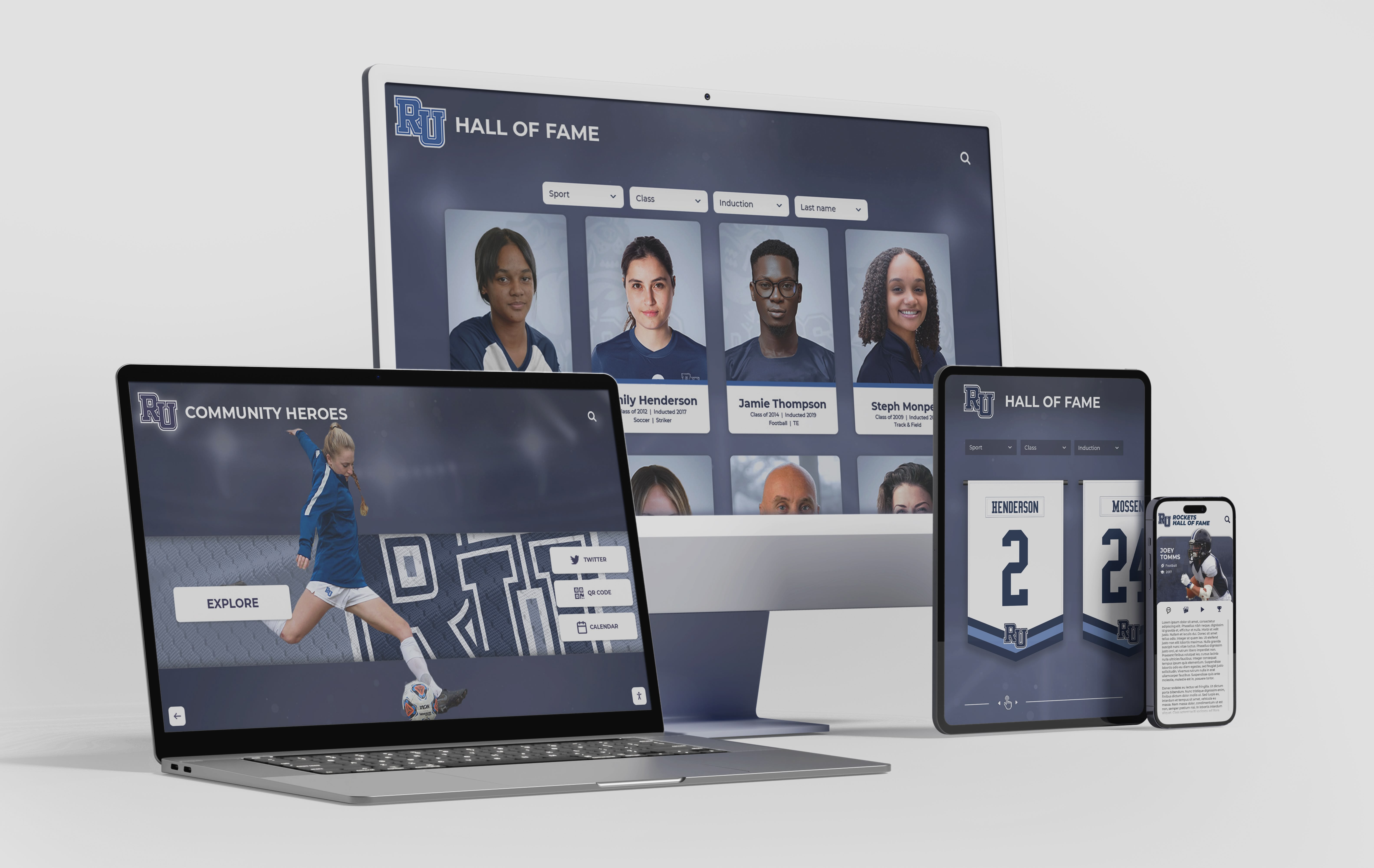
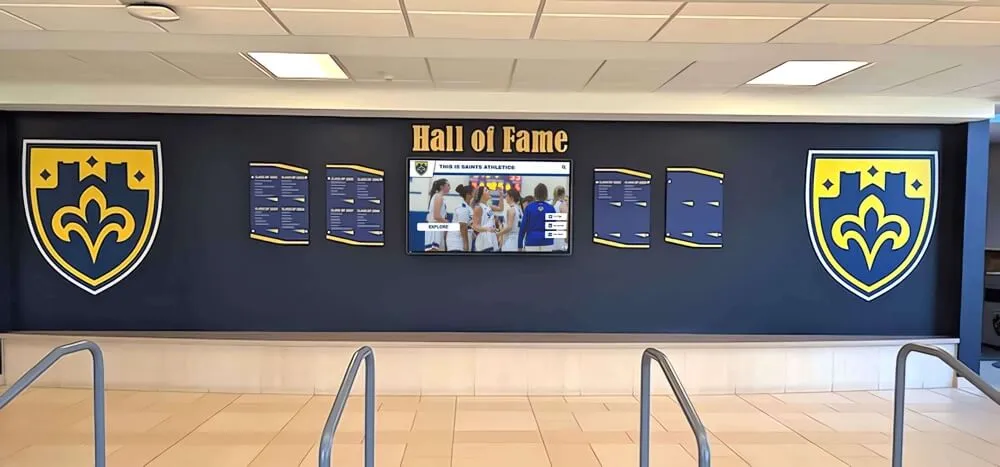
Inductee profile fields must display Arabic and Hebrew names correctly on every device and browser—bdi and dir markup at the template level ensures the same correct visual order on desktop, tablet, and mobile without device-specific overrides
Comparing Implementations: Rocket Alumni Solutions and Alternatives
Schools evaluating digital hall of fame platforms to support inductees whose names include Arabic, Hebrew, or other right-to-left scripts should verify how each platform’s profile template handles bidirectional name rendering before selecting a vendor.
Rocket Alumni Solutions builds its profile templates to support Unicode-compliant name display. When evaluating Rocket or any other platform for bidirectional name support, request a live demonstration of a profile created with an Arabic or Hebrew inductee name alongside a jersey number and induction date. Verify in the live demo that the number appears on the correct side of the name, that punctuation separating the name from sport label or year does not migrate, and that <bdi> or dir attributes are present on the name field element in the rendered source. Confirm how the platform handles names inserted through its CMS interface—whether the CMS template automatically wraps the name field in directional isolation or requires a developer configuration step.
When evaluating other platforms or custom-built solutions, ask the following three questions during the sales or procurement process: Does the inductee name field template use <bdi> or dir attributes? How does the platform handle bidirectional text when a name is followed by a jersey number in the same rendered line? Is there a way for the recognition program administrator to test bidirectional rendering before publishing an inductee profile? A platform that cannot answer these questions concretely, or that produces visual inversion errors in a live demo, has not addressed bidirectional name display at the template level.
For programs evaluating pricing and total-cost considerations alongside technical capability, the turnkey digital hall of fame pricing guide for schools covers what to expect during content setup and training—a phase where naming conventions, character encoding, and profile field configuration are set up and where bidirectional display testing should be included in the acceptance checklist.
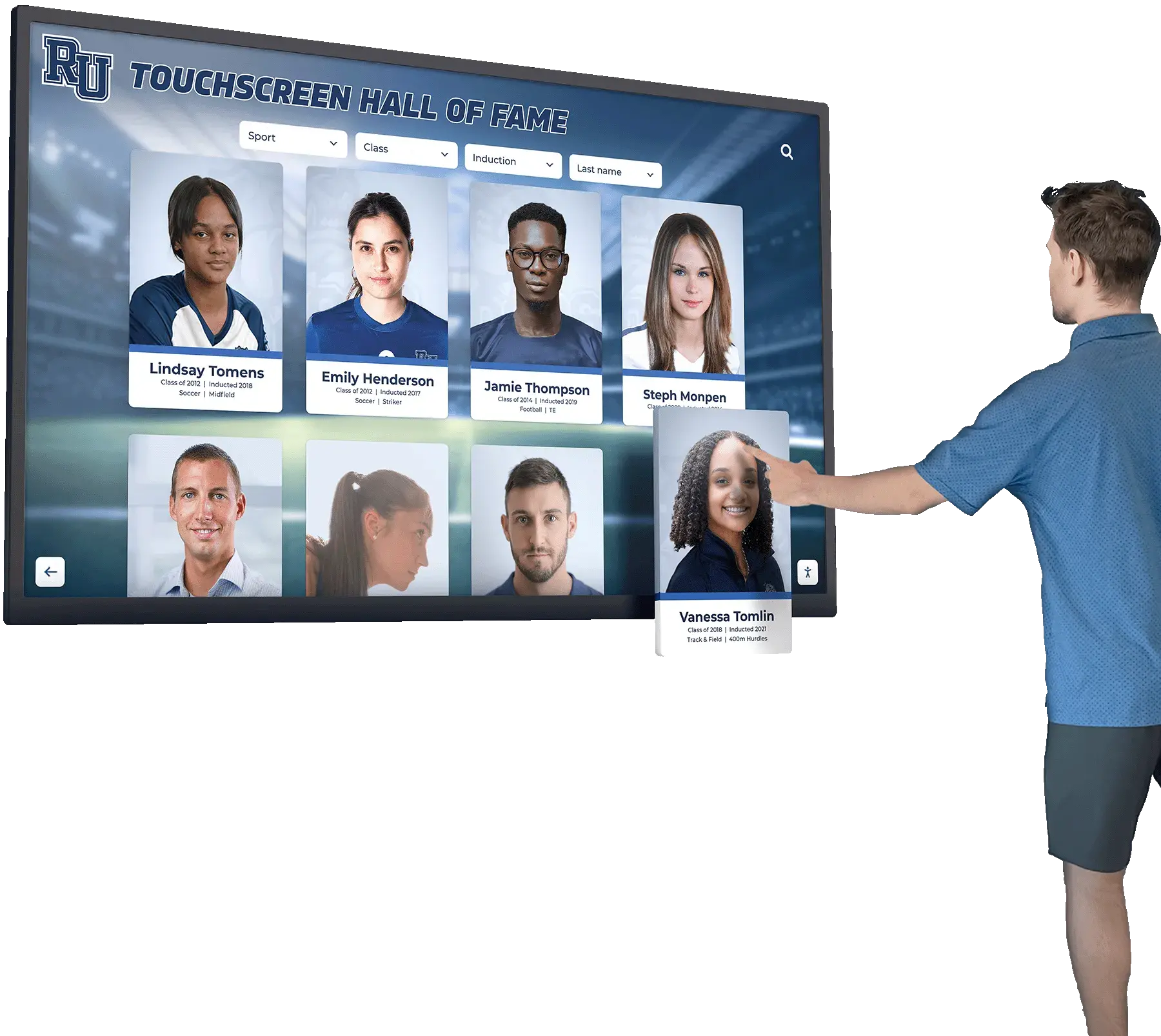
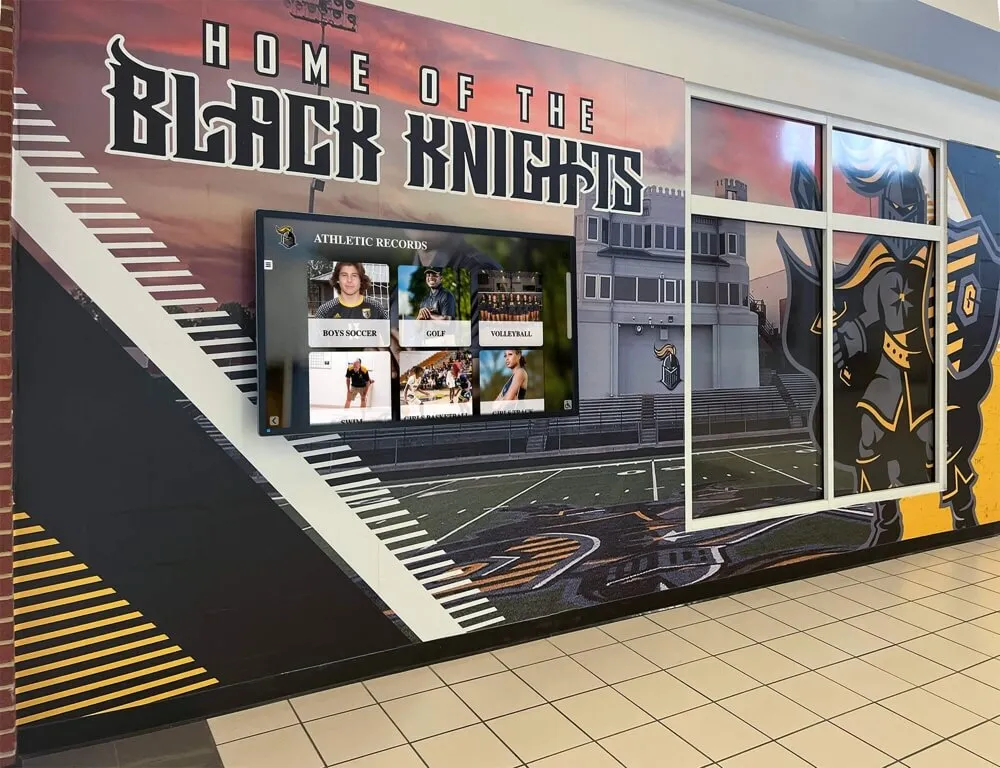
Visitors browsing inductee profiles at a hall of fame kiosk deserve the same correct name display regardless of which script the inductee's name uses—bdi and dir markup in the profile template delivers this consistently without visitor-facing workarounds
Frequently Asked Questions
Q: What is the difference between <bdi> and <span dir="rtl"> for inductee names?
A: Both isolate the directional influence of an RTL name from surrounding LTR content, but they serve different scenarios. <bdi> is designed for situations where the direction of the enclosed text is unknown at the time the template is written—for example, a name inserted from a database that may be in Arabic, Hebrew, Latin, or any other script. The element instructs the browser to determine direction from the text itself and isolate it from both the preceding and following content. <span dir="rtl"> is used when the template knows in advance that the field will always contain RTL text. It sets the base direction explicitly rather than having the browser infer it. For most athletic recognition platforms where names from multiple scripts are entered through a shared CMS, <bdi> is the safer default because it handles both RTL and LTR names correctly without requiring the template to know each name’s script.
Q: Do these fixes apply to kiosk touchscreen displays as well as web pages?
A: Hall of fame kiosk interfaces that run in a browser-based environment—the most common architecture for modern touchscreen recognition systems—render the same HTML as the web interface and are subject to the same Unicode Bidirectional Algorithm processing. An Arabic or Hebrew inductee name displayed on a lobby kiosk exhibits the same bidi rendering behavior as the same name on the school’s web-based inductee gallery. Bidirectional markup fixes applied to the profile template are inherited by the kiosk rendering automatically when both share the same template source. If the kiosk runs a separate offline or embedded HTML build, verify that the offline build includes the same directional markup as the web version.
Q: Does bidirectional text affect our hall of fame deep links or URL slugs?
A: URL slugs and deep links are typically generated from a transliterated or Latin-alphabet version of the inductee’s name rather than from the native script, so the slug itself is not usually affected by bidirectional rendering. However, if your platform generates anchor links using Unicode characters from the name field—a less common but possible configuration—confirm that the anchor ID is generated from a safe, direction-neutral string. The digital hall of fame deep link persistence test covers how deep links to individual inductee profiles can break under platform updates and how to verify they remain stable—a complementary concern to name display when Arabic or Hebrew inductee profiles are published.
Q: Should we add dir attributes to profile fields for inductees whose names are in Latin script?
A: No. The <bdi> element and dir attributes are only necessary when the enclosed text contains strong right-to-left characters. For inductees with Latin-alphabet names, no directional markup is needed on the name field—the browser’s default LTR base direction handles Latin text correctly. Adding <bdi> around all name fields regardless of content does no harm, as the element has no visible effect when the enclosed text is LTR, but it is not required for Latin-script names. Using <bdi> consistently for all database-driven name insertions, as the W3C guidance recommends, is a low-cost defensive practice that ensures correct rendering whenever a new inductee with an RTL-script name is added without requiring a template change.
Q: How do we test bidirectional rendering if we do not have an Arabic or Hebrew inductee currently in the system?
A: Create a test inductee profile in a staging or development environment using any Arabic or Hebrew text in the name field. Representative Arabic text suitable for testing includes common Arabic names available in published Unicode character tables. You do not need to know the meaning of the test text—the bidi rendering test only requires that the text contains strong RTL characters. After verifying the fix with test text, delete or archive the test profile. Test profiles should not be published to the live recognition display.
Q: Does this affect accessibility focus indicators for visitors using a keyboard or switch device?
A: Bidirectional text rendering and focus indicator visibility are separate concerns, but they can interact on profile cards where the focused element contains an RTL name: the visual position of the focus ring may appear on the left side of a card that is visually dominated by RTL text, which could cause the ring to appear in an unexpected position. The digital hall of fame focus indicator visibility test covers how to verify that focus indicators remain visible and correctly positioned on profile cards—a check worth adding to your accessibility review after applying bidirectional name display fixes.
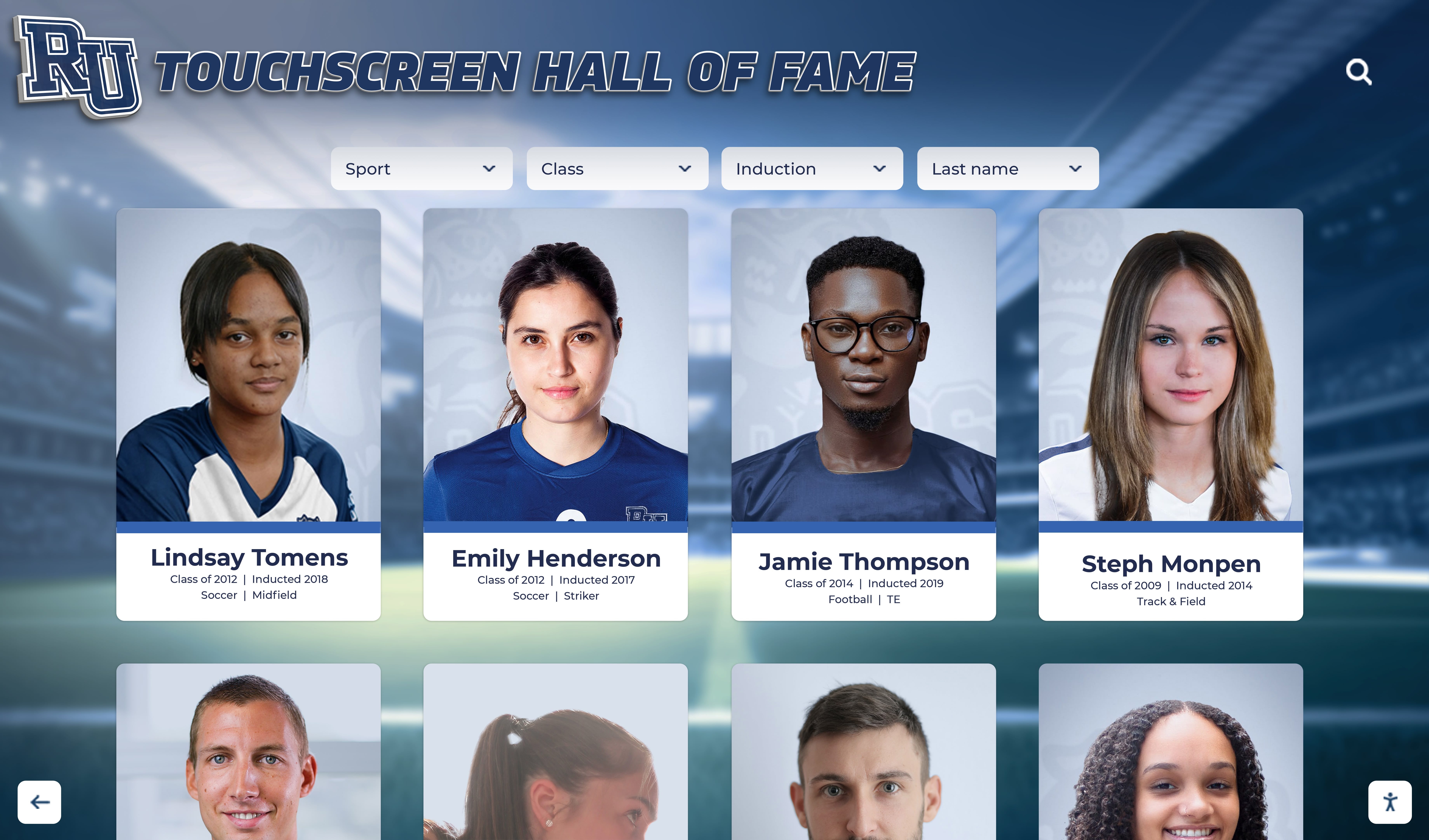
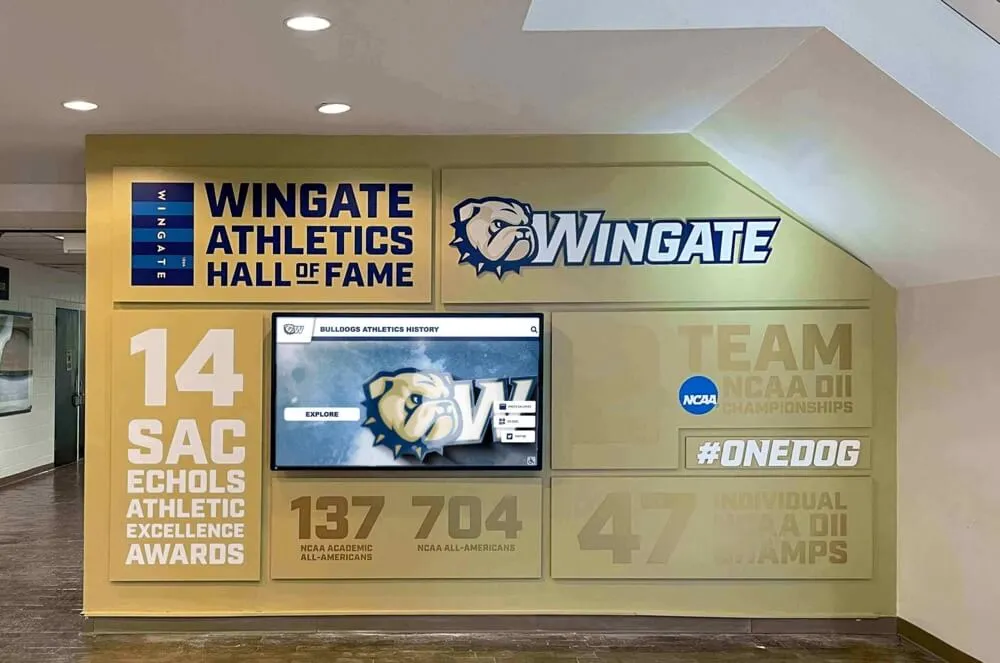
A grid of inductee portrait cards—when any card in the grid displays an Arabic or Hebrew name alongside a jersey number or sport label, bdi or dir markup on the name field ensures correct visual order across all cards in the collection
A school’s digital hall of fame communicates respect for every inductee through the accuracy of every detail on the profile: the correct spelling, the correct number, the correct date, in the correct order. When an athlete’s name is written in Arabic or Hebrew script, that accuracy requires one additional step in the profile template—a <bdi> element, a dir attribute, and where needed a Unicode directional mark—to prevent the browser’s bidi algorithm from reordering the numbers and punctuation that give the record its meaning. The bidirectional name display audit maps the profile fields at risk, tests the name-plus-number and name-plus-date combinations that most commonly fail, verifies the markup in DevTools, and confirms the announcement order with a screen reader. Run before each induction cycle, it takes under an hour and ensures that every inductee’s name and record render exactly as intended for every visitor who visits the recognition display.
Learn more about Rocket Alumni Solutions’ Digital Wall of Fame platform to understand how the platform supports inductee profiles across multiple scripts and languages, with profile template architecture designed to display names accurately for athletic recognition programs of any size.
Honor Every Inductee With the Accuracy Their Legacy Deserves
Rocket Alumni Solutions builds interactive touchscreen and web-based recognition platforms designed to display every inductee's name, record, and story with precision—including athletes whose names are written in Arabic, Hebrew, or other right-to-left scripts. Schedule a custom demo to see how the platform handles bidirectional name display, accessible profile navigation, and searchable inductee records across every device and display type your school uses.
Schedule Your Hall of Fame Demo