Hall of Fame Annual Content Review Checklist: Audit Profiles, Records, Links, and Rights
- Home /
- Digital Wall of Fame Blog - Recognition Display Insights & Resources /
- Hall of Fame Annual Content Review Checklist: Audit Profiles, Records, Links, and Rights
The Easiest Touchscreen Solution




Live Example: Rocket Alumni Solutions Touchscreen Display
Interact with a live example (16:9 scaled 1920x1080 display). All content is automatically responsive to all screen sizes and orientations.
A hall of fame annual content review checklist is a structured set of tasks that athletic directors, archives staff, and recognition-program administrators complete once a year to confirm that inductee biographies, athletic records, photographs, external links, and usage rights on their recognition displays are accurate, current, and properly permissioned. Running this review on a scheduled basis—rather than waiting for complaints—keeps the hall of fame credible, protects the institution legally, and respects the real people whose histories are displayed.
This guide walks through each step of the annual review process, provides a ready-to-use checklist table, and answers the questions school administrators most commonly have about making the workflow manageable across both physical plaques and digital displays.

A documented annual review process keeps hall of fame displays accurate, rights-cleared, and worthy of the community's trust year after year
Why Schools Need an Annual Hall of Fame Content Review
A hall of fame display is not static content. Over time, inductees change their legal names, records get broken, photograph licenses expire, coaching titles change, and external links go dead. Any of those changes can make a display that was accurate at launch feel unreliable—or worse, disrespectful to the people it is meant to honor.
Annual reviews also create documentation. When a former athlete or family member raises a concern about how they are depicted, staff who have completed a documented review can show their work: what was checked, when it was verified, and by whom. That documentation record protects the institution and builds confidence with the alumni and families the program serves.
For schools using physical trophy cases and plaques alone, reviews expose the friction in updating engraved panels—and often provide the clearest case for moving to a cloud-based touchscreen recognition system where corrections can be published across every display location in minutes rather than weeks.
The Hall of Fame Annual Content Review Checklist
| Review Area | Key Tasks | Primary Owner | Recommended Timing |
|---|---|---|---|
| Inductee profiles | Verify names, bios, graduation years, sports, and positions | Archives staff | Annually, post-induction |
| Athletic records | Confirm all statistical claims; update broken records | Athletic director | Annually, end of sports season |
| Photograph permissions | Confirm license status; flag unattributed or undocumented images | Archives / Administration | Annually |
| External links | Test all URLs in digital profiles, website archives, and kiosk menus | Web / IT staff | Semi-annually |
| Display formatting | Check visual consistency, ADA compliance, and broken layouts | Content manager | Annually |
| Nomination records | Confirm nomination files and committee minutes are complete | Committee chair | Annually |
| Physical displays | Inspect plaques, trophy cases, and banners for accuracy | Facilities / AD | Annually |
| Donor and sponsor panels | Verify donor names, fund names, and recognition copy | Advancement office | Annually |
Step 1 — Audit Inductee Profiles
Inductee profiles are the core of any hall of fame display. Each profile should be reviewed annually against a primary source—school records, original nomination files, or the inductee themselves—for the following:
Name accuracy. Has the inductee changed their legal name since induction? Name changes are common following marriage, divorce, or gender transition. Displaying an outdated name is both disrespectful and a potential privacy concern.
Biographical content. Check for titles and affiliations that are no longer current—“current head coach at X” or “serving as athletic director at Y”—and for claims that cannot be verified from institutional records. Remove or qualify statements that depend on external roles the school cannot confirm.
Sport, position, and graduation year. Verify that sport classification, playing position, and graduation or induction year are accurate in every display location: physical plaques, digital kiosk profiles, website archives, and printed materials. Discrepancies between formats are common after partial updates.
Coach and staff recognition. Coach profiles often contain titles and institutional affiliations that change more frequently than athlete profiles. How schools honor athletic leaders across different recognition formats illustrates why coach recognition content deserves the same accuracy standard applied to athlete profiles.
Categorization and program scope. If the hall of fame covers multiple programs, verify that each inductee is correctly categorized. How schools develop identity and recognition for spirit programs and dance squads is one example of how recognition categories expand over time and require ongoing taxonomy review to stay accurate.
Step 2 — Review Athletic Records and Statistics
Record boards are among the most visible—and most frequently questioned—content in any recognition display. A record claim that is no longer accurate, or a program record that has been broken but not updated, signals that the display is unmaintained.
Annual record review tasks:
- Pull the current season’s final statistical reports for every sport covered by the display
- Compare all listed records against current performance data for the season just completed
- Flag any record that has been broken or tied during the season for immediate update
- Confirm that the full name, year, and sport classification for each listed record holder are accurate
- Verify that records are categorized correctly—school record vs. program record vs. single-season record
- Document the review date and the staff member who confirmed each entry
For programs managing large libraries of award and record documentation, formal policies for documenting athletic department awards and records provide a framework for creating the institutional standards that make annual record reviews faster and more consistent over time.
Step 3 — Verify Photograph and Media Rights
Photographs are the most legally exposed content in most hall of fame displays. Images sourced from yearbooks, local newspapers, parent photographers, booster clubs, and commercial photo vendors all carry different usage rights—and those rights do not automatically extend to permanent digital or physical display.
Photograph review checklist:
- Confirm the original source of each image in the display inventory
- Check whether a written license or permission agreement exists for each photograph
- Verify that any time-limited license has not expired (commercial photograph licenses often have defined terms)
- Flag any photographs where no usage documentation can be located
- Review photographs depicting minors for appropriate consent documentation
- Confirm that photographer attribution is correct wherever the display credits a source
Images with no traceable permission documentation should be treated as potentially unlicensed. The practical response is to contact the most likely original source—the school yearbook archive, a local newspaper sports desk, or the family of the inductee—and request written confirmation. If permission cannot be confirmed within a reasonable timeframe, replace the image with a properly licensed alternative rather than continuing to display it without documentation.
Images obtained from families at the time of induction also require a specific check: confirm that the consent given covers the current display format. Permission to display a photograph on a printed plaque may not extend to a publicly accessible touchscreen kiosk or school website.

Each inductee photograph displayed on a digital kiosk or website should have documented permission covering that specific format and platform—yearbook consent alone is not sufficient
Step 4 — Check All External and Internal Links
Links decay. URLs that pointed to local news coverage, video archives, athletic department pages, or partner institution sites at the time of publication frequently stop working as those sites reorganize or remove content. A display with broken links signals neglect, even when the core content is accurate.
Link review tasks:
- Export a complete list of all outbound links from digital display profiles, website hall-of-fame pages, and any digital archive interfaces
- Test each URL and document the result: live, redirected, or broken
- For broken links: determine whether the content still exists at a new URL (update the link), whether a cached version exists in an institutional archive (link to the archived version), or whether the link should be removed entirely
- For links to external news coverage or third-party athletic databases: verify that the linked content accurately reflects what the display claims it documents
Building and maintaining a digital archive for school athletic history requires attention to link integrity as a first-class concern. Best practices for building online high school digital archives addresses how to structure content storage so links remain stable as the institution’s web presence evolves over time.
Step 5 — Review Visual Consistency and Display Formatting
Over time, added profiles and updated content can create visual inconsistency: some inductee cards have photographs while others do not, font sizes vary across entries, and profiles added in different years follow different biographical formats. This drift makes the display look unmaintained even when the underlying content is accurate.
Formatting review tasks:
- Confirm that every inductee profile follows the current display template for layout, font, and image placement
- Check for profiles that are missing photographs and determine whether images can be sourced and cleared
- Verify that the hall of fame branding—colors, logo usage, typography—is consistent across all display locations: touchscreen kiosks, printed materials, website pages, and physical plaques
- Test the display on any digital platform for accessibility: screen-reader compatibility, minimum contrast ratios, and touch-target sizing for ADA WCAG 2.1 AA compliance
- If a QR code or mobile access point is part of the recognition system, confirm that the mobile destination is current and loads correctly
Maintaining design consistency across recognition displays while preserving program identity is a challenge that extends beyond hall of fame programs to any multi-format recognition system—the principles apply directly to keeping a display coherent as content accumulates across years and across staff tenures.
Step 6 — Confirm Nomination and Governance Records
The annual review is also the right moment to verify that the administrative records supporting the hall of fame are complete and accessible to current staff.
- Confirm that nomination files for all current inductees are archived and retrievable by authorized staff
- Verify that committee meeting minutes and selection records from the most recent induction cycle are complete
- Check that the hall of fame’s governing criteria—eligibility requirements, minimum waiting periods, sport categories covered—are documented in writing and reflect current practice
- Confirm that the nomination form and submission process are current and publicly accessible (a changed deadline without a public update, or a broken web form, costs nominations)
- Review the confidentiality handling for individuals who have declined or deferred nomination
Step 7 — Coordinate Updates Across Physical and Digital Displays
The same content often appears in multiple locations simultaneously—a physical trophy case, a hallway mural, a touchscreen kiosk, and a website archive. An annual review must account for all locations; partial updates create discrepancies that are more confusing than uncorrected errors.
Coordination checklist:
| Display Type | Update Method | Typical Lead Time |
|---|---|---|
| Physical plaques and engraved panels | Fabrication or engraving replacement | 2–6 weeks depending on vendor |
| Printed program archives | Correction noted in current-year publication | Next print run |
| Digital touchscreen kiosks | Cloud CMS update applies across all connected screens | Same day to 48 hours |
| Website and online archive pages | Direct content management update | Same day |
| Donor and sponsor recognition panels | Coordinate with advancement office; may require gift agreement review | Varies |
If your program uses a cloud-based touchscreen recognition platform, most digital corrections identified during the annual review can be published to every connected screen simultaneously from a single content management interface—eliminating the per-device update workflow that makes manual systems slow.
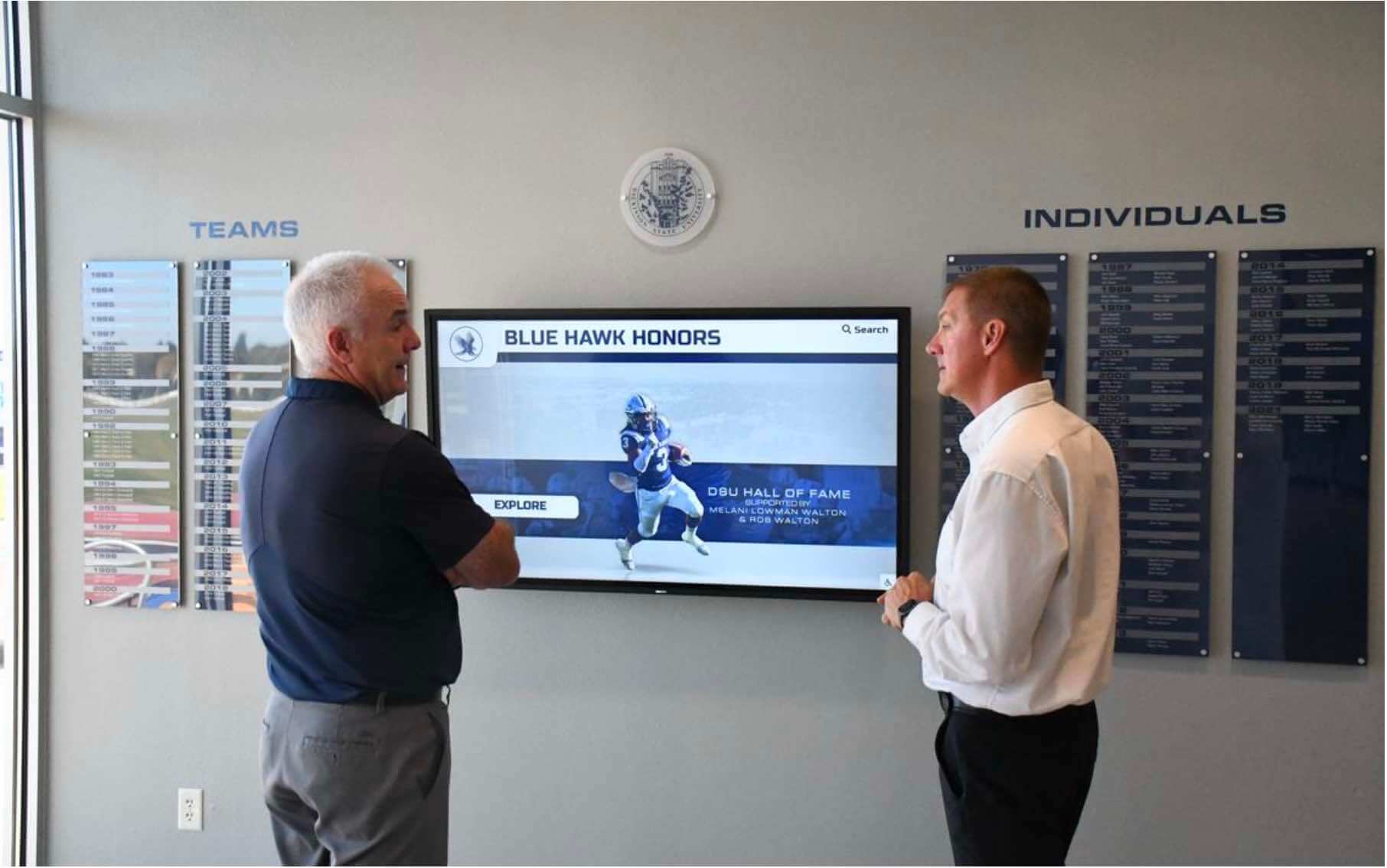
Coordinating updates across physical plaques and digital displays is far more manageable when cloud-based systems push corrections to every connected screen in a single action
How Digital Platforms Simplify the Annual Review
Schools managing athletic recognition entirely through physical displays face significant friction during the annual review. Correcting an engraved plaque requires ordering, fabricating, and installing a replacement panel. Updating a record board printed on vinyl requires a new print run. These timelines stretch weeks, and errors remain visible in the display while corrections are pending.
Schools using cloud-based touchscreen recognition platforms can complete most review corrections within hours. A corrected inductee biography, an updated record entry, or a newly licensed photograph is uploaded through the content management system and published simultaneously to every connected touchscreen in the facility. The audit trail for each change—who made it, when, and what it replaced—is logged automatically, creating the documentation record that makes future reviews faster and that protects the institution if a content concern is raised.
The annual review also becomes easier to delegate. An athletic director can assign the records review to a sports information coordinator, the photograph rights review to an administrative assistant, and the inductee profile verification to alumni relations staff—each working in the same system with role-based access controls that prevent unauthorized changes.
Learn more about Rocket Alumni Solutions’ Digital Wall of Fame platform to see how the cloud-based content management system supports remote updates, granular content access controls, and archival management across every touchscreen display in a facility.
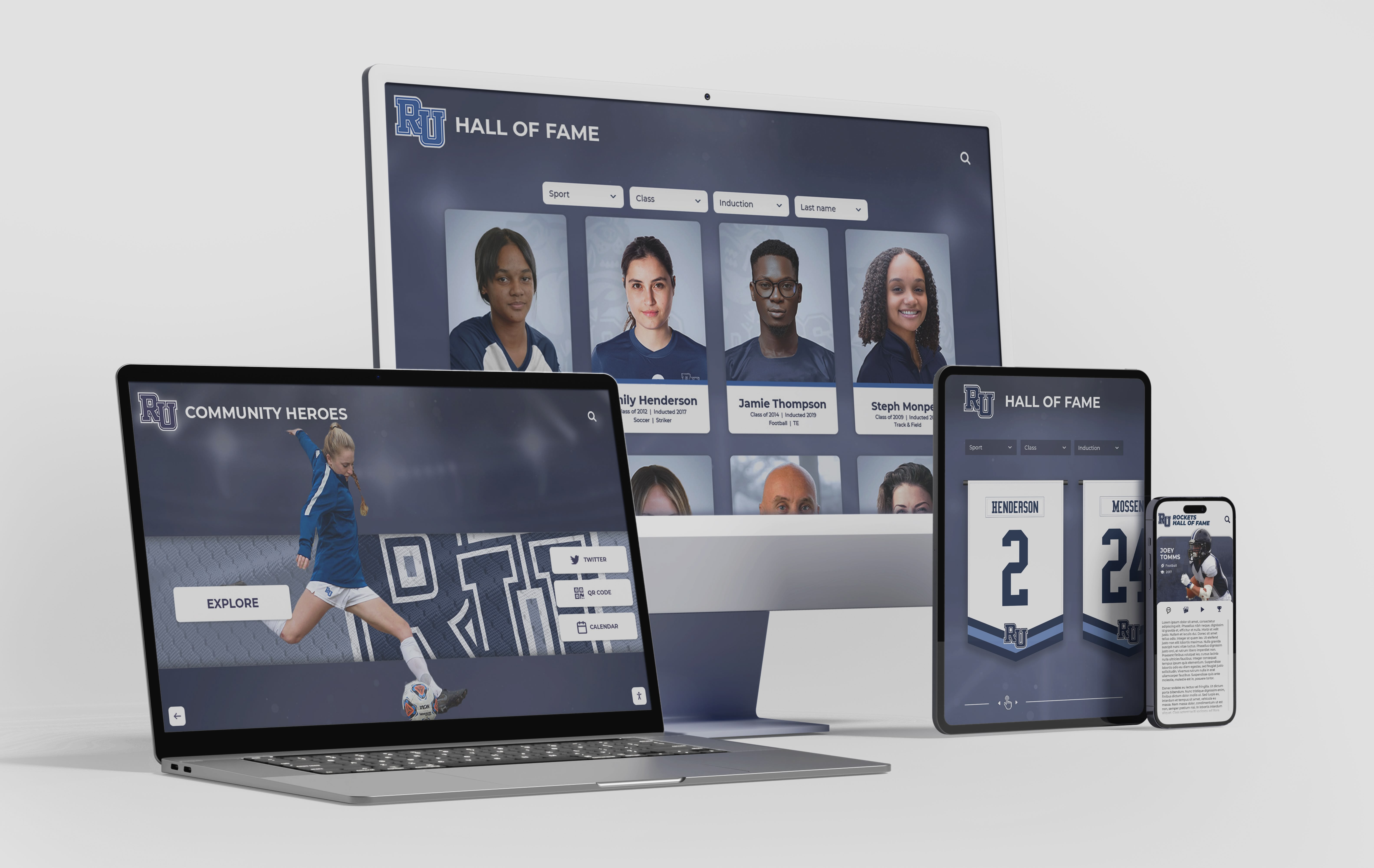
Cloud-based recognition platforms give authorized staff remote access to update content across every display format—touchscreen kiosks, website archives, and mobile-accessible profiles—from a single interface
Frequently Asked Questions
Q: How long does a hall of fame annual content review typically take?
A: The time varies with the size of the hall of fame and the format of the display. For a school with 50–150 inductees on a digital platform, a thorough review by two staff members typically requires two to five working days spread over two to three weeks. Breaking the review into discrete steps—profiles one session, records another, photographs a third—makes the workload manageable without requiring a dedicated review period.
Q: Who should own the annual review?
A: Assign a primary owner and a named backup. The primary owner is typically the athletic director or a designated staff member in the athletics or alumni relations office. The backup ensures continuity when staff changes occur. Document the assignment in writing so incoming staff understand the responsibility without needing to ask.
Q: What should a school do when it cannot locate photograph permission documentation for existing images?
A: Treat the image as potentially unlicensed and initiate a clearance process. Contact the most likely original source—a school yearbook archive, a local newspaper sports photographer, or the family of the inductee—and request written confirmation of permission for the current display format. If clearance cannot be obtained within a reasonable timeframe, replace the image with a properly licensed alternative rather than continuing to display it without documentation.
Q: Does the annual review need to be formally documented?
A: Yes. At minimum, maintain a log recording the review date, the areas reviewed, the staff members responsible for each section, corrections made, and issues identified but not yet resolved. That log becomes the evidentiary record if a content concern is raised later and demonstrates institutional due diligence in maintaining display accuracy.
Q: How should a school handle a record that was listed incorrectly across multiple years?
A: Correct the record promptly and document the correction with a note in the review log. There is generally no need to issue a public correction notice unless the incorrect record was distributed externally in a way that could mislead audiences who have not seen the updated display. Consult the athletic director and, for claims involving significant awards, the communications team.
Q: Should booster clubs and donor organizations be included in the annual review?
A: If the hall of fame display includes donor recognition panels or sponsor acknowledgments—named spaces, campaign donor lists, or named award funds—those panels belong in the annual review. How booster club programs connect to school recognition illustrates how booster contributions often intersect with recognition displays in ways that require coordinated oversight between the athletic department and the advancement office.
Q: How often should external links be checked?
A: A full link audit once per year is a minimum standard. Semi-annual checks—one after the fall sports season and one after the spring sports season—are more practical for displays with large link libraries. Automated link-checking tools can flag broken URLs between manual reviews without requiring dedicated staff time.
Q: What is the right time of year to run the annual review?
A: The optimal timing is one to two months after the induction ceremony, when new inductees have been added and the display reflects the most recent class. That window allows the review to confirm that new additions meet the same accuracy standards applied to the existing display. Some programs prefer to complete the review before the induction ceremony so the display is fully audited before new profiles are added.
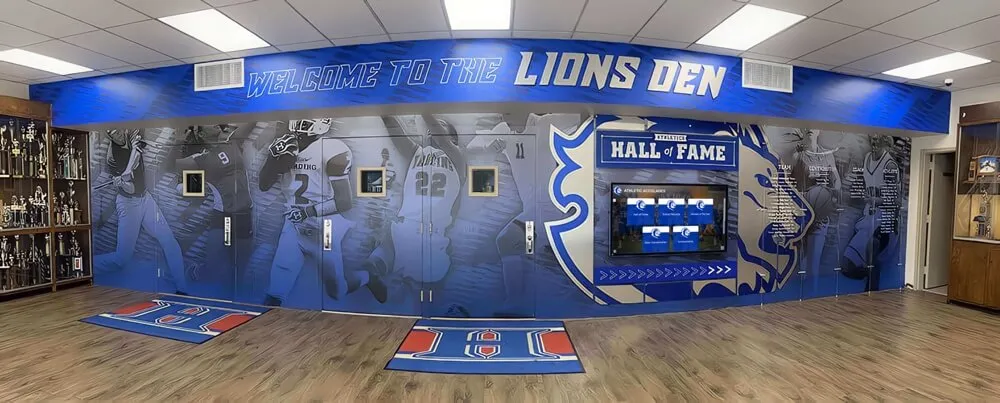
A hall of fame display earns and holds community trust when it is maintained through a documented, recurring review process—not only when concerns are raised
A structured hall of fame annual content review checklist transforms recognition maintenance from a reactive, ad hoc task into a governed workflow with clear ownership, defined timelines, and documented outcomes. Schools that build this review into their standard athletic administration calendar keep inductee profiles accurate, photograph and rights documentation current, digital links functional, and display formatting consistent—giving alumni, families, students, and visitors a recognition program they can trust year after year.
Make Annual Reviews Faster with a Cloud-Based Recognition Platform
Rocket Alumni Solutions' interactive touchscreen wall of fame gives your school a cloud-based content management system where corrections, record updates, and photo changes publish instantly across every display location—making your annual review a manageable, documented process rather than a scramble through fabrication timelines and manual updates.
Request Your Custom DemoLive Example: Rocket Alumni Solutions Touchscreen Display
Interact with a live example (16:9 scaled 1920x1080 display). All content is automatically responsive to all screen sizes and orientations.




























