Hall of Fame Profile Data Dictionary Template: Standardize Names, Teams, Awards, and Media
- Home /
- Digital Wall of Fame Blog - Recognition Display Insights & Resources /
- Hall of Fame Profile Data Dictionary Template: Standardize Names, Teams, Awards, and Media

The Easiest Touchscreen Solution




Live Example: Rocket Alumni Solutions Touchscreen Display
Interact with a live example (16:9 scaled 1920x1080 display). All content is automatically responsive to all screen sizes and orientations.
A hall of fame profile data dictionary template is a reference document that defines every field in an inductee record: the field name, data type, accepted format, valid values, whether the field is required, and which staff role owns it. Without one, programs accumulate inconsistencies—“Class of 1994” in one record, “1994” in the next, and “Graduated 1994” in a third—that break filtering, corrupt report exports, and require manual correction every time the data moves to a new display platform. A documented data dictionary stops those errors at the source by giving nominators, committee members, and content managers a single authoritative reference before they enter a single character.
When every field in every inductee record follows the same rules, your digital hall of fame becomes searchable, reportable, and portable. Visitors can filter athlete profiles by sport and era. Administrators can pull accurate class counts. And migrating to a new touchscreen display platform becomes a clean data transfer rather than a weeks-long cleanup project.

Consistent field definitions across every inductee record make profile cards browsable, filterable, and transferable to any digital display platform
What a Data Dictionary Is—and What It Is Not
A data dictionary is not a nomination form, a taxonomy, or a style guide, though it works alongside all three. The distinction matters because programs sometimes build one document and assume it covers everything:
| Document | What It Does | Example Rule |
|---|---|---|
| Nomination Form | Collects data from nominators at submission time | “Provide full legal name and preferred display name” |
| Taxonomy | Defines the allowed category labels for classification | “Sport values: Women’s Basketball, Men’s Basketball, Coed Swimming…” |
| Data Dictionary | Defines every field’s name, format, type, and valid values | sport: string, required, must match canonical sport list; grad_year: integer, 4-digit YYYY, range 1950–present |
| Style Guide | Governs written tone and editorial formatting | “Biography paragraphs: active voice, third person, 300–500 words” |
A data dictionary operates at the structural layer beneath all of them. It tells a data entry operator—or an automated import—exactly what a valid record looks like.
The Six Field Groups Every Hall of Fame Profile Needs
A complete hall of fame profile data dictionary covers six field groups. Each group below includes a template you can adapt to your institution’s platform and existing records.
Group 1: Identity Fields
Identity fields anchor every other piece of data in the record. Errors here propagate everywhere—display panels, search indexes, ceremony programs, and alumni databases all reference the name fields.
| Field Name | Data Type | Format | Required | Valid Values / Notes |
|---|---|---|---|---|
legal_name_last | String | Title case | Yes | Legal last name; no abbreviations |
legal_name_first | String | Title case | Yes | Legal first name |
legal_name_middle | String | Title case | No | Middle name or initial |
display_name | String | Title case | Yes | Name as it appears on the display; may differ from legal name |
preferred_pronouns | String | Lowercase slash notation | No | e.g., he/him, she/her, they/them |
grad_year | Integer | YYYY | Yes | 4-digit year of graduation or end of eligibility |
birth_year | Integer | YYYY | No | Used for age-verification workflows; restrict access |
inductee_type | Enum | — | Yes | Athlete, Coach, Contributor, Team, Special Honor |
Ownership rule: Identity fields are locked for editing after the induction ceremony unless an amendment is formally requested by the inductee and approved by the athletic director.
Group 2: Sport and Program Fields
Sport fields are the most common source of filtering failures in hall of fame databases. A single canonical sport list, enforced at data entry, prevents years of divergence.
| Field Name | Data Type | Format | Required | Valid Values / Notes |
|---|---|---|---|---|
sport_primary | Enum | Title case | Yes | Must match institutional canonical sport list |
sport_secondary | Enum | Title case | No | For multi-sport inductees; same list as primary |
sport_tertiary | Enum | Title case | No | Same list; add only if relevant to induction |
program_level | Enum | — | Yes | Varsity, Junior Varsity, Club, Non-Athletic |
position | String | Title case | No | Position label within the primary sport |
jersey_number | String | Numeric string | No | Stored as string to preserve leading zeros |
years_active_start | Integer | YYYY | Yes | First year of participation in primary sport |
years_active_end | Integer | YYYY | Yes | Final year of participation |

Consistent sport and program field values make a multi-decade hall of fame filterable by discipline, era, and program level
Ownership rule: Sport fields are set by the committee during the nomination review. Changes require a written amendment with committee approval—not administrative discretion—to prevent display inconsistencies if a record is updated years after induction.
Organizing high school basketball records and program history illustrates how sport-specific field definitions must account for multiple record categories within a single discipline—career, season, and single-game values each require separate fields in a well-structured data dictionary.
Group 3: Award and Honor Fields
Award fields capture third-party recognition that elevates an inductee’s record beyond institutional achievement. These fields are especially important for digital displays, where visitors use award filters to locate honorees with particular distinctions.
| Field Name | Data Type | Format | Required | Valid Values / Notes |
|---|---|---|---|---|
award_type | Enum | — | Yes | All-Conference, All-State, All-American, Academic, Sportsmanship, Championship, Other |
award_name | String | Title case | Yes | Full official name of the award |
award_year | Integer | YYYY | Yes | Year the award was conferred |
award_level | Enum | — | Yes | Conference, District, State, Regional, National, Institutional |
award_organization | String | Title case | Yes | Name of the conferring body |
award_tier | Enum | — | No | First Team, Second Team, Honorable Mention, N/A |
academic_honors | String | Title case | No | Scholar-athlete designation, GPA threshold if applicable |
championship_year | Integer | YYYY | No | Year of championship team participation |
championship_level | Enum | — | No | Conference, District, State, National |
Ownership rule: Award fields are completed by the nominator and verified by committee staff against a citable source before the record is published. Unverified awards must be flagged as award_verification_status: Pending until documentation is confirmed.
How AP Scholar Awards are recognized on school recognition boards shows how academic distinction fields need the same structured treatment as athletic award fields—particularly award_level and award_organization, which determine how honors are displayed alongside athletic achievements.
Group 4: Statistical and Records Fields
Statistical fields vary most by sport, but the dictionary should define a standard structure that applies across disciplines. Year-by-year breakdowns belong in a separate linked table, not in a single summary field.
| Field Name | Data Type | Format | Required | Valid Values / Notes |
|---|---|---|---|---|
stat_category | String | Title case | No | e.g., Career Points, Career Assists, Career ERA |
stat_value | Decimal | Numeric | No | Store raw number; format for display in CMS |
stat_unit | String | Lowercase | No | e.g., points, yards, goals, wins |
stat_period | Enum | — | No | Career, Single Season, Single Game |
stat_season | Integer | YYYY | No | Season year for single-season records |
school_record_held | Boolean | — | No | True if inductee currently holds the record |
record_category | String | Title case | No | Label of the record category |
all_time_rank | Integer | Numeric | No | Position in all-time program rankings |
stat_source | String | Free text | No | Media guide year, archive file, or box score |
Statistical records require a verification source field—stat_source—that most programs omit until an unverifiable claim causes a public correction. Building the field into the dictionary at launch means the expectation is established before the first disputed record is entered.
Comprehensive reviews of basketball halls of fame across levels demonstrate why statistical field consistency matters for programs that participate in regional or national recognition networks—shared data standards make comparison and aggregation meaningful.
Group 5: Media and Asset Fields
Media fields govern the photographs, videos, and documents that make digital profiles engaging. These fields also carry the heaviest risk of silent failure—a missing image path creates a placeholder silhouette that reflects poorly on the entire program.
| Field Name | Data Type | Format | Required | Valid Values / Notes |
|---|---|---|---|---|
photo_primary_url | String | /images/[filename] | Yes | Profile thumbnail; minimum 1200×1500px, JPEG or WebP |
photo_primary_alt | String | Free text | Yes | Descriptive alt text; under 125 characters |
photo_action_url | String | /images/[filename] | No | Action or career image; same resolution requirements |
photo_action_alt | String | Free text | No | Descriptive alt text |
photo_team_url | String | /images/[filename] | No | Championship team photo |
photo_copyright_holder | String | Free text | Yes | Original photographer or source institution |
photo_rights_status | Enum | — | Yes | Owned, Licensed, Public Domain, Permission Obtained, Pending |
video_url | String | Full URL | No | YouTube or Vimeo embed link |
document_url | String | /documents/[filename] | No | Scanned newspaper clipping, program scan, certificate |
media_notes | String | Free text | No | Any restrictions, expiration dates, or contact info for rights |
Ownership rule: photo_rights_status must be set before any image is published on a public-facing display. Records with Pending status are blocked from publication in the CMS until the field is resolved.

Media fields with documented rights status and alt text requirements protect the program from copyright exposure and accessibility failures simultaneously
Understanding what makes the best touchscreen hall of fame installations in 2026 highlights how media quality standards in a data dictionary directly affect the visual impression a touchscreen installation creates for visitors—low-resolution or missing photographs are the most visible failure mode in any digital recognition program.
Group 6: Permission and Publication Fields
Publication fields control what appears publicly and when. They prevent staff from accidentally publishing an incomplete or unapproved profile, and they create the paper trail that institutional legal teams require.
| Field Name | Data Type | Format | Required | Valid Values / Notes |
|---|---|---|---|---|
media_release_signed | Boolean | — | Yes | True only when signed authorization is on file |
media_release_date | Date | YYYY-MM-DD | Yes | Date signature was obtained |
data_retention_consent | Boolean | — | Yes | Inductee consents to indefinite institutional record |
publication_status | Enum | — | Yes | Draft, Under Review, Approved, Published, Archived |
publication_date | Date | YYYY-MM-DD | No | Date profile went live on display platform |
last_updated | Date | YYYY-MM-DD | Auto | System-generated timestamp on each edit |
updated_by | String | Free text | Auto | Username or staff role that made last change |
takedown_flag | Boolean | — | No | True triggers administrative review; does not auto-remove |
profile_visibility | Enum | — | Yes | Public, Staff-Only, Archived |
Ownership rule: Only the athletics administrator or designated content manager may change publication_status to Published. No other role should have write access to this field.
Exploring the best school history software platforms clarifies how publication workflow fields in a data dictionary must align with the permission model of your chosen content management platform—tools that don’t support field-level permission controls will require a workaround or a different workflow design.
Applying the Data Dictionary to Existing Records
Most programs that build a data dictionary for the first time already have years of existing inductee records that don’t conform to it. A retroactive standardization pass is necessary before a new display platform can ingest clean data.
Practical approach for back-filling existing records:
- Export all current records to a spreadsheet with one row per inductee.
- Map existing column names to the canonical field names defined in the data dictionary.
- Identify non-conforming values in each field—free-text sport names, inconsistent date formats, missing required fields.
- Prioritize by publication status: fix Published records first, then Archived records, then Drafts.
- Standardize in batches by field group, not by inductee. Correcting all
sport_primaryvalues across all records at once is faster and produces more consistent results than correcting one full record at a time. - Document the audit trail: record which fields were changed, by whom, and on what date for each record touched.
For programs with more than two hundred inductees, the back-fill process typically reveals three predictable problem areas: sport name inconsistencies (most common), missing photograph rights documentation (most legally significant), and graduation year format mismatches (most disruptive to era-based filtering).
Reviewing the best display options for high school state championship brackets provides useful context for how championship field values—championship_year and championship_level—need to be structured consistently across team and individual inductee records to support the kind of era-based browsing visitors expect from a comprehensive athletic history display.
Connecting the Data Dictionary to Your Touchscreen Display Platform
A data dictionary produces its highest return when it is wired directly into the platform that powers your digital display. The connection works at three levels:
Import validation: A well-specified data dictionary can be converted directly into import validation rules. Before any record enters the system, the platform checks that required fields are present, enum values match the allowed list, and date formats conform to the standard. Records that fail validation are flagged for staff review rather than silently entering the database with bad data.
Search and filter accuracy: Fields defined as enum values in the data dictionary become the reliable filter options in the display interface. When sport_primary contains only canonical values, a visitor tapping “Women’s Soccer” on the touchscreen sees every Women’s Soccer inductee—not a partial list broken by variant spellings.
Multi-platform portability: A school that uses the same data dictionary regardless of whether records are stored in a spreadsheet, a custom database, or a dedicated platform can migrate between systems without a data cleanup sprint. The dictionary is the contract between the data and the platform.
How community showcase projects can build lasting recognition for organizations illustrates why field-level standardization matters especially when recognition programs expand beyond a single institution—shared field definitions make it possible to aggregate and compare records across programs.
Learn more about Rocket Alumni Solutions’ Digital Wall of Fame platform to see how a purpose-built touchscreen system applies structured field validation to inductee profiles and enforces data dictionary rules at the content management layer.
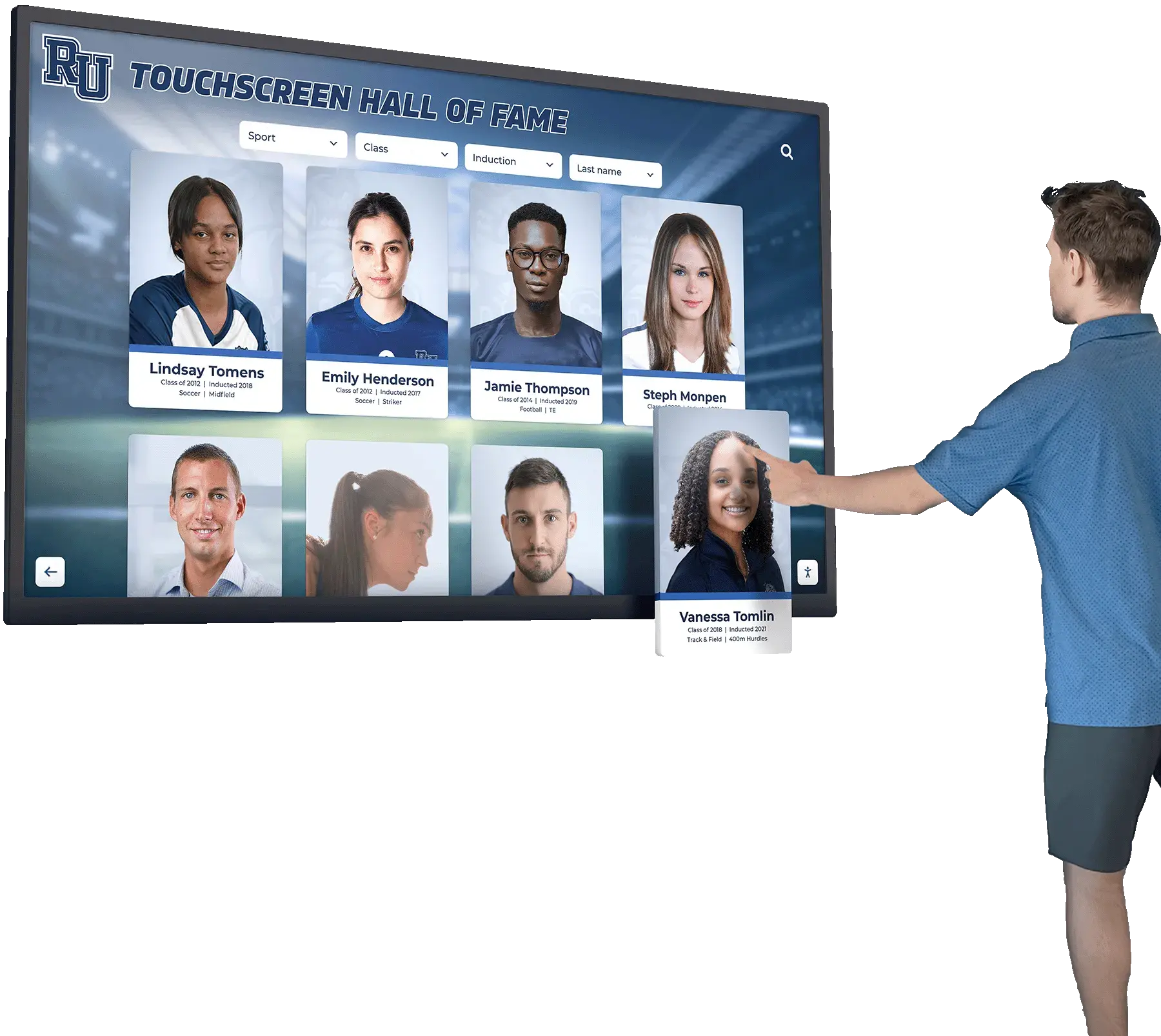
A touchscreen display that enforces data dictionary rules at import makes every field filterable—sport, era, award type, and program level all work because the underlying data is clean
Maintaining the Data Dictionary Over Time
A data dictionary written once and filed away stops being useful within a year. Changes to your athletic program—new sports, renamed awards, updated institutional branding—introduce new valid values that the dictionary doesn’t account for, and staff quietly begin entering non-conforming data again.
Build a review cycle into your annual recognition calendar:
- After each induction cycle: review which fields generated the most correction requests. Those fields need clearer instructions or narrower allowed values.
- When adding new sports or programs: add the canonical sport name to the dictionary before the first nomination in that discipline is submitted.
- When switching display platforms: reconcile the dictionary against the new platform’s field schema before migration. Platform field names rarely match dictionary field names exactly.
- When legal or consent requirements change: update permission fields and notify staff before the next nomination cycle opens.
How alumni golf events build recognition archives that outlast the event itself shows how recognition programs that span multiple event formats—athletic seasons, annual alumni gatherings, special ceremonies—need a data dictionary flexible enough to accommodate different inductee types without creating separate, incompatible record structures.
Recognition frameworks for non-athletic programs such as chess and tournament competition demonstrate how the same core data dictionary structure—identity, award, media, and publication fields—scales to non-athletic recognition programs with minor adaptations to the sport and statistical field groups.
Frequently Asked Questions
What is the difference between a data dictionary and a data model?
A data model describes the structural relationships between tables or objects in a database—which fields belong to which entity type, how entities relate to each other. A data dictionary describes the content rules for individual fields: what values are allowed, what format is required, who owns the field. The data dictionary is the content governance layer that sits on top of whatever data model your platform uses. Most school administrators need to think about the data dictionary; the data model is the concern of whoever builds or configures the platform.
How many fields should a hall of fame profile data dictionary include?
A complete dictionary for a high school or collegiate athletic hall of fame typically covers 40–70 fields across the six groups described above. Programs with simpler profiles—biography and photograph only, no statistical records—can operate with 25–35 fields. Programs that publish year-by-year statistics for every inductee may need 80–100 fields once individual stat-year records are included. Start with the required fields in each group and expand only when the display platform or reporting needs demand additional fields.
Should we use the same data dictionary for coaches and contributors as for athletes?
Yes, with conditional field rules. The same dictionary can apply to all inductee types if you define which fields are required versus optional based on inductee_type. For coaches, statistical fields shift to coaching records—win-loss ratios, championship counts, tenure. For contributors, statistical fields may be empty or repurposed for program impact metrics. Using a single dictionary with conditional requirements is easier to maintain than separate dictionaries that inevitably drift apart.
Who should own the data dictionary document?
The athletic director or designated recognition program administrator owns it—not the IT department, not a vendor, and not a volunteer committee member. IT and vendors will need to reference it, but primary ownership means responsibility for keeping it current, communicating updates to staff, and enforcing it as the authoritative source when field conflicts arise.
How do interactive donor boards use similar data dictionary principles?
Recognition programs for donors and community members apply the same core principles. Interactive donor board programs use structured field definitions for donor name, gift category, recognition tier, and publication status—the same field groups that appear in an athletic hall of fame profile data dictionary, adapted to the recognition context.
Conclusion
A hall of fame profile data dictionary template gives every stakeholder in your recognition program—nominators, committee members, content managers, and display platform administrators—a single reference that answers the question “what does a valid record look like?” The six field groups covered here—identity, sport and program, award and honor, statistical records, media and assets, and permission and publication—represent the complete structural definition of a modern digital inductee profile.
Building the dictionary before the next induction cycle costs a few hours of planning. Correcting five years of inconsistent records after the fact costs months of staff time and may still leave residual errors in publicly published profiles. The investment pays back every time a visitor searches your touchscreen display and finds exactly what they expected.
Build a Digital Hall of Fame With Structured, Searchable Profiles
Rocket Alumni Solutions designs custom touchscreen hall of fame displays that enforce data dictionary standards at the content management layer—clean imports, filterable fields, ADA WCAG 2.1 AA compliant, unlimited inductees, auto-ranking record boards, and professional installation at 600+ institutions nationwide.
Request Your Custom DemoLive Example: Rocket Alumni Solutions Touchscreen Display
Interact with a live example (16:9 scaled 1920x1080 display). All content is automatically responsive to all screen sizes and orientations.




























